info What's Included with ClassKnot
merge
Unified Application:
Both the Public Website and Admin Panel share the same
codebase. This means you manage everything from a single installation — no separate
projects to
maintain.
- Website — React + Vite public-facing frontend (no login required)
- Admin Panel — React-based dashboard for complete school management
- Laravel API — Secure backend with authentication and role-based access control
- User Management — Admin creates accounts and assigns panel access via email & password
- Roles & Permissions — Super Admin, Teacher, Student, Parent (4 roles)
All core school management features are self-contained with minimal optional dependencies.
info
What comes with ClassKnot
Public-facing Website, React Admin Panel, and Laravel API — all included. Optional third-party integrations include Firebase (chat) and Payment Gateways (Razorpay, Flutterwave, Paystack).
Introduction
Welcome to ClassKnot, a complete end-to-end school management platform built with modern technologies. Its purpose is to digitize and centralize all school operations — student records, fees, attendance, grades, staff management, admissions, and public website content — into a single web application. Designed for schools, colleges, and educational organizations looking to modernize their operations and improve efficiency.
Core Features
group Student Management
- Student profile management
- Enrollment & class assignment
- Student history & records
- Parent/guardian linking
- Document management
- Student ID generation
- Bulk student import/export
- Student status tracking
payments Fee Management
- Fee structure configuration
- Fee payment tracking
- Fee receipt generation
- Payment history & reports
- Payment reminders & notifications
- Outstanding balance tracking
- Partial payment support
- Online payment integration
school Staff Management & Admissions
- Staff & teacher profiles
- Role & department assignment
- Staff attendance tracking
- Performance evaluation
- Online admission forms
- Admission workflow management
- Enrollment processing
- Student onboarding
admin_panel_settings Admin Panel Features (React)
- Dashboard Analytics
- User & Role Management
- Student Management
- Staff & Teacher Management
- Fee & Payment Management
- Attendance Reports
- Grade Book & Results
- Admission Management
- Communication & Notifications
- Content Management (CMS)
- School Settings & Configuration
- Analytics & Reports
login Access & Authentication
public Website
- Fully public-facing — no login required
- View school information, announcements, and content
- Accessible to all visitors
admin_panel_settings Admin Panel Access
- Admin creates user accounts
- Panel access granted via email & password
- Role-based permissions control access
- No OTP or self-registration
User Portals
Student Portal
- Dashboard
- Profile
- Attendance (view)
- Grades (view)
- Schedule
- Exams
- Question Bank
- Homework (view + submit)
- Fees (view)
- ID Card (self-view PDF)
Teacher Portal
- Dashboard
- Attendance (mark + history)
- Question Bank
- Salary (payslip)
- Homework (+ grade)
- Chat
Parent Portal
- Dashboard
- Children
- Attendance
- Grades
- Fees
- Homework
- Chat
Admin Portal
- Full school management
- Content management
- User & role management
- Fee & payment tracking
- HR & Payroll
- Reports & analytics
check_circle
White-Label Solution
This platform is distributed as a white-label solution, allowing complete customization of branding, configurations, and content to match your school's identity and scale your educational operations efficiently.
Getting Started
check_circle Dependencies Overview
ClassKnot is a self-contained solution with minimal dependencies:
- Authentication — Custom Laravel authentication system
- Role-Based Access Control — Native permission system
- Queue System — Built-in database queue for background jobs
- Chat (Optional) — Firebase Realtime Database for real-time messaging between parents, teachers, and students
- Payments (Optional) — Razorpay, Flutterwave, Paystack for salary payments
info
Note:
Firebase and Payment Gateways are
optional. All core features work without them.
lightbulb
Prerequisite Knowledge
Basic understanding of React-based website development, Laravel backend setup, and API integration is recommended before installation and customization.
check_circle Third-Party Services
verified Mostly Standalone Product
ClassKnot is a mostly standalone school management platform with optional third-party integrations for:
- Firebase — Real-time chat
- Payment Gateways — Razorpay, Flutterwave, Paystack (salary payments)
Everything else is built into the product.
check_circle
Native Role Management
Built-in role-based access control. No external permission services or third-party authorization packages needed.
check_circle
Internal Queue System
Database-driven queue for background jobs. No external queue services or third-party job processors needed.
check_circle
MySQL Database Storage
All data — student records, fees, attendance, grades, staff information, documents, and media — is stored in MySQL database. No external cloud storage or third-party databases required.
check_circle
No External APIs
Zero external API dependencies. No map services, SMS services, or push notification services required for core functionality.
| Component | Type | Description |
|---|---|---|
| Authentication | Built-in | Custom Laravel authentication system. |
| Role Management | Built-in | Native role-based access control with 4 roles. |
| Queue System | Built-in | Database queue for background job processing. |
| Data Storage | Built-in | MySQL database for all data including documents and media. |
| Firebase (Optional) | Optional | Real-time chat between parents, teachers, and students. Only required if using chat feature. |
| Payment Gateways (Optional) | Optional | Razorpay, Flutterwave, Paystack for salary payments. Only required for online salary processing. |
chat Firebase Chat (Optional)
What it's used for
- Real-time messaging between Teacher and Parent (paired by student enrollment)
- Contacts list and conversations
- Send messages and mark as read
- Available in Teacher and Parent portals
Configuration required
- Firebase project with Realtime Database enabled
- Service account JSON file
- Environment variables:
FIREBASE_CREDENTIALS,FIREBASE_DATABASE_URL - See Firebase Chat Setup section for details
info
Important:
Chat works without Firebase, but messages won't be
real-time. Firebase is only for the chat feature.
payments Payment Gateways (Optional)
Razorpay
- Popular in India
- Supports UPI, Cards, Net Banking
- Auto-generate payslip PDF
Flutterwave
- Pan-African payment gateway
- Multi-currency support
- Multiple payment methods
Paystack
- Payment gateway for African countries
- Supports cards, bank transfers
- Secure and reliable
info
Note:
Payment gateways are optional and
only required if you want to process salary payments online. You can also process payments
manually.
info Important Notice
Minimal Dependencies: ClassKnot has only optional third-party integrations:
- Firebase — Optional, only for real-time chat
- Payment Gateways — Optional, only for online salary payments (Razorpay, Flutterwave, Paystack)
All core functionality works without any external services.
Database Configuration: MySQL database is included with the product, but requires configuration on your server. All data — including student records, fees, attendance, grades, staff information, documents, images, and media — is stored in the MySQL database.
Hosting: Web hosting, domain registration, and SSL certificates are the responsibility of the buyer and are not included with the purchase.
chat Firebase Chat Configuration
info Chat System Overview
ClassKnot uses Firebase Realtime Database to power the real-time chat system between parents, teachers, and students. This allows instant messaging without page refreshes.
warning
Important:
Firebase is ONLY used for chat
functionality. All other data is stored in MySQL.
Chat Features
Parent-Teacher Chat
Real-time messaging between parents and teachers, paired by student enrollment.
Contacts & Conversations
View contacts, manage conversations, send messages, and mark messages as read.
Real-Time Delivery
Instant message delivery with read receipts and real-time updates.
Firebase Setup for Chat
-
Create a Firebase Project
- Go to Firebase Console
- Click "Add project" and name it (e.g., "ClassKnot Chat")
- Follow the setup wizard
-
Enable Realtime Database
- Go to Build → Realtime Database
- Click "Create Database"
- Select "Start in test mode"
- Choose your database location
-
Generate Service Account Key
- Go to Project Settings → Service Accounts
- Click "Generate New Private Key"
- Download the JSON file
- Keep this file secure! Never commit it to version control
-
Configure Environment Variables
Add the following to your
.envfile:# Firebase Chat Configuration (Optional - only for chat feature) FIREBASE_CREDENTIALS=/path/to/your-firebase-service-account.json FIREBASE_DATABASE_URL=https://your-project-id.firebaseio.com -
Place Service Account JSON
- Place the downloaded JSON file in a secure directory (e.g.,
storage/app/firebase/) - Update
FIREBASE_CREDENTIALSpath in.envto point to this file
# Example path FIREBASE_CREDENTIALS=storage/app/firebase/classknot-chat-firebase-adminsdk.json - Place the downloaded JSON file in a secure directory (e.g.,
-
Test Firebase Connection
php artisan tinkerIn Tinker, test the connection:
        $firebase = app('firebase.database');
        $firebase->getReference('test')->set(['message' => 'Hello ClassKnot!']);
Firebase Security Rules for Chat
Recommended Security Rules
Set these rules in Firebase Console → Realtime Database → Rules:
        {
        "rules": {
            "chats": {
            "$conversationId": {
                ".read": "auth != null",
                ".write": "auth != null",
                "messages": {
                "$messageId": {
                    ".validate": "newData.hasChildren(['senderId', 'senderType', 'message', 'timestamp'])",
                    "senderId": { ".validate": "newData.isString()" },
                    "senderType": { ".validate": "newData.isString() && newData.val().matches(/^(parent|teacher|student|admin)$/)" },
                    "message": { ".validate": "newData.isString() && newData.val().length < 1000" },
                    "timestamp": { ".validate": "newData.isNumber()" },
                    "read": { ".validate": "newData.isBoolean()" }
                }
                }
            }
            },
            "users": {
            "$userId": {
                ".read": "auth != null",
                ".write": "auth != null"
            }
            }
        }
        }
info
Security Tip:
Always implement proper authentication checks before
allowing read/write access to chat data.
info
Important Notes About Firebase Chat
- Firebase is OPTIONAL — Chat works without it, but messages won't be real-time
- Free Tier Limits: Firebase Realtime Database has 1GB storage and 10GB/month download on the free tier
- Authentication: Chat uses the same authentication system as the main application
- Data Privacy: All chat messages are stored in Firebase and should comply with your privacy policy
- Backup: Consider backing up Firebase data periodically (messages are not stored in MySQL)
payments Payment Gateways Configuration
info Payment Gateway Overview
ClassKnot supports three payment gateways for online salary payments: Razorpay, Flutterwave, and Paystack. These are optional and only required if you want to process online salary payments.
warning
Note:
Payment gateways are optional. All
core features work without online payment integration.
Supported Payment Gateways
payments
Razorpay
- Popular payment gateway
- Supports UPI, Cards, Net Banking, Wallets
- Auto-generate payslip PDF
payments
Flutterwave
- Pan-African payment gateway
- Multi-currency support
- Cards, Bank Transfer, Mobile Money
payments
Paystack
- Reliable payment gateway
- Supports cards, bank transfers, USSD
- Secure and reliable payments
Configuration Steps
payments 1. Razorpay Configuration
-
Create a Razorpay Account
- Go to razorpay.com
- Click "Sign Up" and complete the registration
- Complete KYC verification to enable live payments
-
Get API Keys
- Log in to your Razorpay Dashboard
- Navigate to Settings → API Keys
- Click "Generate API Key"
- Copy the Key ID and Key Secret
- ⚠️ Keep the Key Secret secure! Never share it publicly.
-
Configure Environment Variables
Add these to your
.envfile:# Razorpay Configuration RAZORPAY_KEY_ID=your_razorpay_key_id RAZORPAY_KEY_SECRET=your_razorpay_key_secret RAZORPAY_WEBHOOK_SECRET=your_webhook_secret -
Configure Webhook (Optional but Recommended)
- Go to Settings → Webhooks in Razorpay Dashboard
- Add webhook URL:
https://yourdomain.com/api/webhook/razorpay - Enable events: payment.captured, payment.failed
- Copy the Webhook Secret to your
.env
-
Test the Integration
- Use Razorpay test keys for development
- Test card:
4111 1111 1111 1111 - Test UPI:
success@razorpay - Verify payment status in Admin Panel → Payments
payments 2. Flutterwave Configuration
-
Create a Flutterwave Account
- Go to flutterwave.com
- Click "Sign Up" and complete the registration
- Complete business verification
-
Get API Keys
- Log in to your Flutterwave Dashboard
- Navigate to Settings → API
- Get Public Key, Secret Key, and Encryption Key
-
Configure Environment Variables
Add these to your
.envfile:# Flutterwave Configuration FLUTTERWAVE_PUBLIC_KEY=your_public_key FLUTTERWAVE_SECRET_KEY=your_secret_key FLUTTERWAVE_ENCRYPTION_KEY=your_encryption_key -
Configure Webhook
- Go to Settings → Webhooks in Flutterwave Dashboard
- Add webhook URL:
https://yourdomain.com/api/webhook/flutterwave - Enable events: charge.completed, charge.failed
-
Test the Integration
- Use Flutterwave test keys for development
- Test card:
4111 1111 1111 1111 - Verify payment status in Admin Panel → Payments
payments 3. Paystack Configuration
-
Create a Paystack Account
- Go to paystack.com
- Click "Sign Up" and complete the registration
- Complete business verification
-
Get API Keys
- Log in to your Paystack Dashboard
- Navigate to Settings → API Keys & Webhooks
- Get Public Key and Secret Key
-
Configure Environment Variables
Add these to your
.envfile:# Paystack Configuration PAYSTACK_PUBLIC_KEY=your_public_key PAYSTACK_SECRET_KEY=your_secret_key -
Configure Webhook
- Go to Settings → API Keys & Webhooks in Paystack Dashboard
- Add webhook URL:
https://yourdomain.com/api/webhook/paystack - Enable events: charge.success, charge.failed
-
Test the Integration
- Use Paystack test keys for development
- Test card:
4111 1111 1111 1111 - Verify payment status in Admin Panel → Payments
Complete .env Configuration for Payment Gateways
# ------------------------------------------------------------------
# Payment Gateway Configuration (Optional)
# ------------------------------------------------------------------

# Razorpay
RAZORPAY_KEY_ID=your_razorpay_key_id
RAZORPAY_KEY_SECRET=your_razorpay_key_secret
RAZORPAY_WEBHOOK_SECRET=your_webhook_secret

# Flutterwave
FLUTTERWAVE_PUBLIC_KEY=your_public_key
FLUTTERWAVE_SECRET_KEY=your_secret_key
FLUTTERWAVE_ENCRYPTION_KEY=your_encryption_key

# Paystack
PAYSTACK_PUBLIC_KEY=your_public_key
PAYSTACK_SECRET_KEY=your_secret_key
Payment Flow
How it works
- Admin creates Salary Structures for employees
- Salary Payments are auto-generated
- Employee views payslip in Teacher Portal
- Payments processed via selected gateway
- Payment status tracked in admin panel
Select Active Gateway
- Go to Admin Panel → Payment Types
- Select your preferred gateway as active
- Configure gateway-specific settings
- Save changes
Troubleshooting Payment Issues
error Payment Not Processing
- Verify API keys are correct in
.env - Check if you're using live or test keys
- Verify webhook URL is configured correctly
- Check server logs for errors
lock Webhook Not Working
- Ensure webhook URL is publicly accessible
- Check if webhook secret matches in
.env - Verify events are properly configured
- Test webhook using gateway's test tool
currency_exchange Currency Not Supported
- Check if your currency is supported by the gateway
- Each gateway supports specific currencies
- Refer to gateway documentation for supported currencies
info
Important Notes About Payment Gateways
- Payment Gateways are OPTIONAL — Salary payments work without them
- Test Mode: All gateways provide test keys for development
- Webhooks: Configure webhook URLs for payment confirmation
- Security: Never commit API keys to version control
- Currency Support: Check each gateway's documentation for supported currencies
dns Environmental Setup
verified Version Requirements
Ensure the following software versions are installed before proceeding:
Backend Requirements
- PHP: 8.3+
- Web Server: Apache (mod_rewrite) or Nginx
- Database: MySQL 5.7+ / MariaDB 10.3+ or SQLite 3
- Composer: 2.x
- PHP Extensions: BCMath, Ctype, JSON, Mbstring, OpenSSL, PDO, Tokenizer, XML, Fileinfo
- Storage: Write permissions on
storage/,bootstrap/cache/ - Queue Driver: Database (default), Redis, or sync
- Firebase (Optional): For real-time chat functionality
Frontend Requirements
- Node.js: 18+ or 20+ LTS
- npm: 9+ (install with
--legacy-peer-deps) - Browser Support: Chrome 90+, Firefox 90+, Safari 15+, Edge 90+
- JavaScript: ES2020+, React 19
- CSS: Tailwind CSS 3 (requires PostCSS + Autoprefixer)
warning
Important:
Using older versions may cause compatibility issues. Always use the
recommended versions.
System Requirements
Operating System:
- Windows 10/11 (64-bit) — Pro or Enterprise recommended
- macOS Monterey (12.0) or later — Sonoma 14.5+ recommended
- Linux (Ubuntu 22.04 LTS, 24.04 LTS, or equivalent)
Minimum Hardware:
- Processor: Intel i5 10th Gen (or AMD Ryzen 5) or better
- RAM: 4 GB (minimum), 8 GB recommended
- Storage: 5 GB free disk space for dependencies and build files
- Internet: Broadband connection required for downloading dependencies
Software Requirements
| Technology | Version | Check Command |
|---|---|---|
| PHP | 8.3.32 | php -v |
| Laravel | 13.22.0 | php artisan --version
|
| React | 19.2.8 | npm list react |
| Inertia.js | 2.0 | npm list @inertiajs/react
|
| Tailwind CSS | 3.2.1 | npm list tailwindcss
|
| Vite | 8.0 | npm list vite |
| Node.js | 18+ / 20+ LTS | node -v |
| npm | 9+ | npm -v |
| MySQL | 9.7 (Homebrew) | mysql --version |
| Composer | 2.x | composer --version
|
| Spatie Permissions | 6.0 | composer show spatie/laravel-permission
|
| Laravel Breeze | 2.4 | composer show laravel/breeze
|
| Laravel Sanctum | 4.0 | composer show laravel/sanctum
|
| Headless UI | 2.0 | npm list @headlessui/react
|
| DomPDF | 3.1 | composer show dompdf/dompdf
|
| Ziggy | 2.0 | composer show tightenco/ziggy
|
PHP Extensions Required
check_circle
BCMath
check_circle
Ctype
check_circle
Fileinfo
check_circle
JSON
check_circle
Mbstring
check_circle
OpenSSL
check_circle
PDO
check_circle
Tokenizer
check_circle
XML
info
To check installed PHP extensions:
php -m
If any required extension is missing, uncomment or install it in your
php.ini file.
XAMPP / Local Server Installation
- Download XAMPP from apachefriends.org (version 8.2+ recommended)
- Install XAMPP on your system with default settings
- After installation, start Apache and MySQL services from the XAMPP control panel
- Verify installation by visiting
http://localhostin your browser
info
Alternative Local Servers:
- Laragon (Windows) - Faster and lighter alternative
- MAMP (macOS/Windows) - Easy to use
- Docker (All platforms) - Containerized environment
- Valet (macOS) - Laravel native development
Composer Installation
- Download Composer from getcomposer.org
- Install Composer on your system
info
Composer Installation Guide:
Getting Started Requirements
lightbulb
Note: It's necessary to have a basic knowledge in both server side and frontend development.
- Basic knowledge of React-based website development
- Basic knowledge of Laravel backend setup and API integration
- Understanding of database management (MySQL)
terminal
Verify Your Installation
Run these commands in your terminal/command prompt to confirm all required tools are properly installed:
# Check PHP version
php --version   # Should show PHP 8.3+

# Check Composer version
composer --version  # Should show 2.x or higher

# Check Node.js version
node --version   # Should show v18+ or v20+ LTS

# Check npm version
npm --version    # Should show 9+ or higher

# Check MySQL version
mysql --version  # Should show 5.7+ / 8.0+

# Check PHP extensions
php -m          # Verify required extensions: BCMath, Ctype, Fileinfo, JSON, Mbstring, OpenSSL, PDO, Tokenizer, XML
check_circle
Success Indicator:
If all commands show the correct versions (or higher) and all PHP extensions are listed, your environment is ready for installation.
error
Troubleshooting:
If any command returns "not found" or shows an older version, please install or update the corresponding software before proceeding.
memory Technology Stack
memory Complete Technology Stack
ClassKnot is built using modern and scalable technologies to power the Unified Application (both Website and Admin Panel), and API backend. All core components are self-contained with optional third-party integrations.
Core Technology Versions
Before installing and running the application, ensure the following technologies and tools are installed with the recommended versions.
| Tool/Software | Minimum Version | Recommended Version |
|---|---|---|
| PHP | 8.3 | 8.3+ |
| Laravel | 13.8 | 13.x |
| React | 19.2.8 | 19.x |
| Node.js | 18+ | 20+ LTS |
| MySQL | 5.7+ | 8.0+ |
| Composer | 2.x | 2.x |
| npm | 9+ | 10+ |
| Vite | 8.0 | 8.x |
| Tailwind CSS | 3.0 | 3.2.1 |
| Git | 2.x | Latest |
| Category | Technology | Version | Purpose |
|---|---|---|---|
| Frontend (Website) | |||
| Framework | React | 19.2.8 | UI Library for building interactive interfaces |
| Build Tool | Vite | 8.0 | Build tool & development server |
| CSS Framework | Tailwind CSS | 3.2.1 | Utility-first CSS framework |
| JavaScript | ES2020+ | — | Modern JavaScript features |
| Backend (API) | |||
| Language | PHP | 8.3.32 | Server-Side Programming Language |
| Framework | Laravel | 13.22.0 | PHP Framework for API & Backend |
| Authentication | Laravel Breeze | 2.4 | Authentication scaffolding |
| API Authentication | Laravel Sanctum | 4.0 | API token authentication |
| Role & Permission | Spatie Laravel Permission | 6.0 | User Roles & Permissions Management |
| Database | MySQL | 8.0+ | Relational Database for all data storage |
| Queue Driver | Database | — | Background job processing |
| Dependency Manager | Composer | 2.x | PHP Package Management |
| Admin Panel | |||
| Framework | React | 19.2.8 | UI Library for admin dashboard |
| Build Tool | Vite | 8.0 | Build tool & development server |
| CSS Framework | Tailwind CSS | 3.2.1 | Utility-first CSS framework |
| UI Components | Headless UI | 2.0 | Accessible UI components |
| Icons | Lucide React | 1.26.0 | Icon library |
| Carousel | Swiper | 14.0.6 | Touch slider/carousel |
| PDF Generation | DomPDF | 3.1 | PDF generation for reports & receipts |
| JavaScript Integration | Ziggy | 2.0 | Laravel route generation for JavaScript |
| Inertia.js | Inertia.js | 2.0 | Full-stack single-page application framework |
PHP Extensions Required
check_circle
BCMath
check_circle
Ctype
check_circle
Fileinfo
check_circle
JSON
check_circle
Mbstring
check_circle
OpenSSL
check_circle
PDO
check_circle
Tokenizer
check_circle
XML
info
Check installed extensions: Run php -m in your terminal.
If any extension is missing, uncomment or install it in your php.ini file.
Hosting & Production Server Requirements
- Web Server: Apache 2.4+ (with mod_rewrite) or Nginx 1.18+
- PHP: 8.3.32 or higher
- Database: MySQL 5.7+ / 8.0+ or MariaDB 10.3+
- SSL Certificate: HTTPS recommended for production
- Cron Job Support: Required for scheduled tasks
- Storage Permissions: Write permissions on
storage/andbootstrap/cache/ - Memory: Minimum 4 GB RAM (8 GB Recommended)
- Storage: Minimum 10 GB Available Storage
Important:
Shared hosting, VPS, cloud servers, and dedicated servers are supported as long as the above
requirements are met.
verified Minimal Dependencies
ClassKnot has minimal dependencies with optional third-party integrations. The core platform uses open-source packages included with Laravel / React ecosystem:
- Open-source packages included with Laravel / React ecosystem
- Built-in components that require no external subscriptions
- Optional: Firebase (chat) and Payment Gateways (Razorpay, Flutterwave, Paystack)
No map services, SMS services, or other external APIs are required for core functionality.
info
Important Note
Install all required SDKs, development tools, and dependencies using the recommended versions before beginning the installation process. Version mismatches may result in build or runtime issues.
Pro Tip: Use Node Version Manager (NVM) for managing Node.js versions.
view_module Project Dependencies
Project Dependencies Overview
ClassKnot is a Unified Application where both the Public Website and Admin Panel share the same codebase:
merge
Unified Application
Public Website + Admin Panel (same codebase)
api
Laravel API
Backend API for the Unified Application
info
Unified Application: Both the Public Website and Admin Panel use React 19.2.8 with Inertia.js 2.0, Tailwind CSS 3.2.1, Vite 8.0
Backend API: Laravel 13.x with PHP 8.3+
code Backend Dependencies (composer.json)
The Laravel backend uses the following PHP dependencies:
{
    "$schema": "https://getcomposer.org/schema.json",
    "name": "laravel/laravel",
    "type": "project",
    "description": "The skeleton application for the Laravel framework.",
    "keywords": ["laravel", "framework"],
    "license": "MIT",
    "require": {
        "php": "^8.3",
        "barryvdh/laravel-dompdf": "^3.1",
        "inertiajs/inertia-laravel": "^2.0",
        "kreait/firebase-php": "^8.4",
        "laravel/framework": "^13.8",
        "laravel/sanctum": "^4.0",
        "laravel/tinker": "^3.0",
        "spatie/laravel-permission": "^6.0",
        "tightenco/ziggy": "^2.0"
    },
    "require-dev": {
        "fakerphp/faker": "^1.23",
        "laravel/breeze": "^2.4",
        "laravel/pail": "^1.2.5",
        "laravel/pao": "^1.0.6",
        "laravel/pint": "^1.27",
        "mockery/mockery": "^1.6",
        "nunomaduro/collision": "^8.6",
        "phpunit/phpunit": "^12.5.12"
    },
    "autoload": {
        "psr-4": {
            "App\\": "app/",
            "Database\\Factories\\": "database/factories/",
            "Database\\Seeders\\": "database/seeders/"
        }
    },
    "autoload-dev": {
        "psr-4": {
            "Tests\\": "tests/"
        }
    },
    "scripts": {
        "setup": [
            "composer install",
            "@php -r \"file_exists('.env') || copy('.env.example', '.env');\"",
            "@php artisan key:generate",
            "@php artisan migrate --force",
            "npm install --ignore-scripts",
            "npm run build"
        ],
        "dev": [
            "Composer\\Config::disableProcessTimeout",
            "npx concurrently -c \"#93c5fd,#c4b5fd,#fb7185,#fdba74\" \"php artisan serve\" \"php artisan queue:listen --tries=1 --timeout=0\" \"php artisan pail --timeout=0\" \"npm run dev\" --names=server,queue,logs,vite --kill-others"
        ],
        "test": [
            "@php artisan config:clear --ansi @no_additional_args",
            "@php artisan test"
        ],
        "post-autoload-dump": [
            "Illuminate\\Foundation\\ComposerScripts::postAutoloadDump",
            "@php artisan package:discover --ansi"
        ],
        "post-update-cmd": [
            "@php artisan vendor:publish --tag=laravel-assets --ansi --force"
        ],
        "post-root-package-install": [
            "@php -r \"file_exists('.env') || copy('.env.example', '.env');\""
        ],
        "post-create-project-cmd": [
            "@php artisan key:generate --ansi",
            "@php -r \"file_exists('database/database.sqlite') || touch('database/database.sqlite');\"",
            "@php artisan migrate --graceful --ansi"
        ],
        "pre-package-uninstall": [
            "Illuminate\\Foundation\\ComposerScripts::prePackageUninstall"
        ]
    },
    "extra": {
        "laravel": {
            "dont-discover": []
        }
    },
    "config": {
        "optimize-autoloader": true,
        "preferred-install": "dist",
        "sort-packages": true,
        "allow-plugins": {
            "pestphp/pest-plugin": true,
            "php-http/discovery": true
        }
    },
    "minimum-stability": "stable",
    "prefer-stable": true
}
| Package | Version | Purpose |
|---|---|---|
| Production Dependencies | ||
| php | ^8.3 | Server-side scripting language |
| laravel/framework | ^13.8 | Laravel PHP Framework |
| inertiajs/inertia-laravel | ^2.0 | Inertia.js server-side adapter |
| laravel/sanctum | ^4.0 | API authentication |
| laravel/tinker | ^3.0 | Artisan REPL & interactive shell |
| spatie/laravel-permission | ^6.0 | User roles & permissions management |
| barryvdh/laravel-dompdf | ^3.1 | PDF generation for reports & receipts |
| tightenco/ziggy | ^2.0 | Laravel route generation for JavaScript |
| Development Dependencies | ||
| laravel/breeze | ^2.4 | Authentication scaffolding |
| fakerphp/faker | ^1.23 | Fake data generation for seeding |
| laravel/pail | ^1.2.5 | Log viewer |
| laravel/pao | ^1.0.6 | Package auto-discovery optimizer |
| laravel/pint | ^1.27 | PHP code style fixer |
| mockery/mockery | ^1.6 | Mocking framework for tests |
| nunomaduro/collision | ^8.6 | Error handling for console |
| phpunit/phpunit | ^12.5.12 | PHP testing framework |
web Frontend Dependencies (package.json)
Both Website and Admin Panel share the same frontend dependencies:
{
    "$schema": "https://www.schemastore.org/package.json",
    "private": true,
    "type": "module",
    "scripts": {
        "build": "vite build",
        "dev": "vite"
    },
    "devDependencies": {
        "@headlessui/react": "^2.0.0",
        "@inertiajs/react": "^2.0.0",
        "@tailwindcss/forms": "^0.5.3",
        "@vitejs/plugin-react": "^5.0.0",
        "autoprefixer": "^10.4.12",
        "concurrently": "^9.0.1",
        "laravel-vite-plugin": "^3.1",
        "postcss": "^8.4.31",
        "react": "^19.2.8",
        "react-dom": "^19.2.8",
        "tailwindcss": "^3.2.1",
        "vite": "^8.0.0"
    },
    "dependencies": {
        "axios": "^1.18.1"
    }
}
| Package | Version | Purpose |
|---|---|---|
| Core Dependencies | ||
| react | ^19.2.8 | UI Library for building interactive interfaces |
| react-dom | ^19.2.8 | React DOM rendering |
| @inertiajs/react | ^2.0.0 | Inertia.js React adapter for server-side routing |
| axios | ^1.18.1 | HTTP client for API requests |
| Development Dependencies | ||
| vite | ^8.0.0 | Build tool & development server |
| @vitejs/plugin-react | ^5.0.0 | Vite plugin for React |
| laravel-vite-plugin | ^3.1 | Laravel integration for Vite |
| tailwindcss | ^3.2.1 | Utility-first CSS framework |
| @tailwindcss/forms | ^0.5.3 | Tailwind CSS plugin for form styling |
| @headlessui/react | ^2.0.0 | Accessible UI components |
| autoprefixer | ^10.4.12 | CSS vendor prefixing |
| postcss | ^8.4.31 | CSS processing tool |
| concurrently | ^9.0.1 | Run multiple commands concurrently |
Dependency Summary
code
Backend (composer.json):
- PHP Version: ^8.3
- Laravel: ^13.8
- Total Packages: 15 (7 production, 8 development)
- Key Features: Inertia.js 2.0, Sanctum 4.0, Spatie Permissions 6.0, DomPDF 3.1, Ziggy 2.0
web
Frontend (package.json):
- React Version: ^19.2.8
- Inertia.js: ^2.0.0
- Tailwind CSS: ^3.2.1
- Total Packages: 14 (4 dependencies, 10 devDependencies)
- Build Tool: Vite ^8.0.0
check_circle
Minimal Dependencies
code
Backend
web
Frontend
Note: All core dependencies are open-source packages included with Laravel and React ecosystems. Optional third-party integrations include Firebase (chat) and Payment Gateways (Razorpay, Flutterwave, Paystack).
web Website Pages Guide
description Complete Website Pages Working Flow
This guide explains how each public website page works, what data it displays, and where that data comes from in the admin panel.
home 1. Home Page (/)
Purpose: Landing page that introduces the school and encourages visitors to apply.
What it shows
- Auto-scrolling hero banner with school images and marketing text
- Animated statistics counter (students, teachers, classes)
- Feature highlights (faculty, classrooms, labs, library, sports, transport)
- Facility image gallery (3 items with hover effects)
- Top 6 FAQ accordion
- Call-to-action banner with Apply Now and Contact Us buttons
Data Flow
- Banner images:
bannerstable (Academics → Banners) - Facilities:
facilitiestable (Academics → Facilities) - FAQs:
faqstable (Support → FAQs) - Stats: Live count from students, teachers, classes tables
info 2. About Page (/about)
Purpose: Tell the school's story — mission, features, history.
What it shows
- Hero banner with "About Us" heading
- "Who We Are" and "What We Do" text sections
- Feature cards (scholarship, lecturers, library)
- History timeline with year milestones
- CTA banner
Data Flow
- Features:
about_sectionstable (type=feature) → Support → About Page - History:
about_sectionstable (type=history) → Support → About Page - Content:
about_sectionstable (type=content) → Support → About Page
assignment 3. Admissions Page (/admissions)
Purpose: Online application form for new students.
What it shows
- Step-by-step info cards (Student Info → Parents → Address → Review)
- Application form with 5 sections
- Success/error flash messages
Data Flow
- Form submission:
AdmissionController→admissionstable - If approved:
AdmissionService→ students + parents + enrollments tables - Dropdowns:
academic_years,schools,classes,sectionstables
people 4. Faculty Page (/faculty)
Purpose: Display the school's teaching staff.
What it shows
- Hero banner "Meet Our Faculty"
- Grid of faculty cards with photo, name, subject, designation
Data Flow
- Faculty data:
employeestable (status=active, with designations) - Photos:
employees.photofield (or random avatar fallback)
photo_library 5. Gallery Page (/gallery)
Purpose: Showcase school photos and videos.
What it shows
- Category filter tabs (All, Photos, Videos, Events)
- Image grid with hover titles
- Click-to-open lightbox
- Load More button
Data Flow
- Images:
gallery_itemstable (status=active) - Categories: Client-side filter from category column
factory 6. Facilities Page (/facilities)
Purpose: Showcase campus infrastructure and amenities.
What it shows
- Stats bar (labs, sports, library, campus area)
- Facility cards with auto-detected icons
- Campus tour CTA
Data Flow
- Facilities:
facilitiestable (status=active) → Academics → Facilities
help 7. FAQ Page (/faq)
Purpose: Answer common questions.
What it shows
- Search bar (real-time filter)
- Category tabs
- Expandable Q&A accordion
- Contact info at bottom
Data Flow
- FAQs:
faqstable (status=active) → Support → FAQs - Categories:
faq_categoriestable → Support → FAQs - Contact:
contact_settingstable → Support → Contact Details
contact_page 8. Contact Page (/contact)
Purpose: Get in touch form and display contact info.
What it shows
- Contact info cards (email, phone, location, office)
- Contact form (name, email, phone, subject, message)
- Success flash on submission
Data Flow
- Contact info:
contact_settingstable → Support → Contact Details - Form submit:
EnquiryController→enquiriestable (admin views in Support → Enquiries)
privacy_tip 9. Privacy Policy Page (/privacy)
Purpose: Display the school's privacy policy.
What it shows
- Table of contents sidebar
- Scrollable policy sections
- Back to top button
Data Flow
- Policy sections:
privacy_policiestable (status=active) → Support → Privacy
admin_panel_settings 10. Admin Login (/admin)
Purpose: Admin authentication page.
What it shows
- Login form (email + password)
- School branding (logo, name, stats)
- Welcome message
Data Flow
- Login form: Inertia Breeze auth → admin session
Quick Reference Summary
| Page | Purpose | Data Source | Admin Menu Path |
|---|---|---|---|
| Home | Landing page | Banners, Facilities, FAQs, Stats | Academics → Banners/Facilities Support → FAQs |
| About | School story | About Sections (Features, History, Content) | Support → About Page |
| Admissions | Online application | Students, Classes, Sections, Academic Years | Admission Organisation → Classes/Sections/Acad. Years |
| Faculty | Teaching staff | Employees (active) | Employees → List |
| Gallery | Photos & videos | Gallery Items | Academics → Gallery |
| Facilities | Campus amenities | Facilities (active) | Academics → Facilities |
| FAQ | Common questions | FAQ Categories + FAQs, Contact Settings | Support → FAQs / Contact Details |
| Contact | Contact form & info | Contact Details, Enquiries | Support → Contact Details / Enquiries |
| Privacy | Privacy policy | Privacy Policies | Support → Privacy |
sync
Key Principle: Admin → Frontend Sync
All public website content is managed from the admin panel. When you add, edit, or delete content in the admin, it automatically reflects on the frontend. No code changes required.
- Add a new banner → Appears on homepage hero slider instantly
- Add a new facility → Appears on Home (preview) and Facilities page
- Upload a gallery image → Appears on Gallery page instantly
- Update contact details → Contact page and footer update immediately
- Add a new FAQ → Appears on Home (preview) and FAQ page
- Add a new employee → Appears on Faculty page
- Update privacy policy → Privacy page updates instantly
- View enquiries → All contact form submissions appear in Enquiries
- Update about sections → About page updates instantly
admin_panel_settings Admin Panel Guide
Admin Panel Overview
The Admin Panel provides complete control over the ClassKnot school management platform. Below is the detailed menu structure and functionality for managing the platform.
| Menu Section | Sub-Menu Items | Functionality |
|---|---|---|
| Dashboard | ||
| Dashboard | - | View school overview including total students, teachers, employees, fee collections, attendance summary, and key metrics |
| Organisation | ||
| Schools | - | Manage school profiles with name, code, branch, status, location, address, coordinates, contact details, logo, and established year |
| Classes | - | Create and manage classes with school association, name, capacity, and status |
| Sections | - | Manage sections under classes with school and class association, section name, and status |
| Designations | - | Create and manage employee designations with school association, designation name, and status |
| Academic Years | - | Manage academic years with name, code, start/end date, status, and ability to set current academic year |
| Admission | ||
| Student | List, Enrollment | Manage student list with profiles, enrollments, class/section assignment, and student status tracking |
| Fees | ||
| Fee Heads | - | Create fee heads with name, code, category, frequency, and status |
| Structures | - | Define fee structures for academic years with school and class association |
| Assignments | - | Assign fees to enrollments with fee head, amount, discount, and payment frequency |
| Payments | - | Track student payments with date, method, remarks, and payment status |
| Salary Payments | - | Auto-generate salary payments with payslip PDF. Supports Razorpay, Flutterwave, and Paystack (optional) |
| Teacher | ||
| Subjects | - | Create and manage subjects with school, category, code, and name |
| Allocations | - | Allocate subjects to teachers with academic year, employee, subject, class, section, and class teacher toggle |
| Timetables | - | Create timetables with academic year, day, period, subject, teacher, class, section, start/end time, and effective dates |
| Lesson Plans | - | Create lesson plans with academic year, teacher, class, section, subject, date, period, title, chapter, topic, teaching method, progress, teaching materials, status, and remarks |
| Employees | ||
| List | - | Manage employee list with profile photo, name, academic year, school, designation, from/to date, and status |
| Attendance | - | Track employee attendance with date, status, check-in, check-out, and remarks |
| Leave | - | Manage employee leave requests with leave type, from/to date, reason, status, and approval |
| Parents | ||
| Parents | - | Manage parent profiles with father/mother name, mobile, email, username, password, address, and status |
| Users | ||
| Users | - | Manage system users with user, email, role, and joined date. Currently supports Super Admin with role-based permissions coming in future updates |
| Roles | ||
| Roles & Permissions | - | Configure roles and permissions. Currently Super Admin configured with all permissions. Additional roles (Admin, Teacher, Accountant, Parent, Student) coming in future updates |
| Academics | ||
| Banners | - | Manage hero slider banners with quotes, background image, and sort order for homepage display |
| Gallery | - | Manage image gallery with image, title, category, and sort order for public display |
| Facilities | - | Create and manage school facilities with title, description, image, and sort order |
| Code Masters | ||
| Code Masters | - | Manage lookup values across 14 categories. Create slug categories with code values and enable/disable toggle. Currently 57 values configured |
| Support | ||
| Subscribers | - | View newsletter subscribers with email, status, subscribed date, and actions |
| FAQs | - | Manage frequently asked questions with category, featured toggle, question, and answer |
| Privacy | - | Manage privacy policy content with title, content, and sort order |
| Contact Details | - | Manage website contact information including email, phone, location, office address, social links (Facebook, Twitter, Instagram, LinkedIn), and Google Maps embed |
| Enquiries | - | View and manage contact form submissions with first name, last name, email, phone, subject, message, status, and actions |
| Chat | - | Real-time messaging between parents, teachers, and students. Powered by Firebase Realtime Database (optional) |
menu Admin Menu Structure
Dashboard
- Dashboard
Organisation
- Schools
- Classes
- Sections
- Designations
- Academic Years
Admission
- Student
- Enrollment
Fees
- Fee Heads
- Structures
- Assignments
- Payments
Teacher
- Subjects
- Allocations
- Timetables
- Lesson Plans
Employees
- List
- Attendance
- Leave
Parents
- Parents
Users
- Users
Roles
- Roles & Permissions
Academics
- Banners
- Gallery
- Facilities
Code Masters
- Code Masters
Support
- Subscribers
- FAQs
- Privacy
- Contact Details
- Enquiries
Key Admin Workflows
School Setup
- Register new schools with basic information
- Configure school location, contact & branding
- Create classes, sections, and designations
- Set up academic years
- Manage school status and details
Student & Enrollment
- Process student admissions with parent/guardian details
- Manage student profiles and enrollment
- Assign classes, sections, and roll numbers
- Track student status and history
Fee Management
- Create fee heads with categories and frequencies
- Define fee structures for academic years
- Assign fees to individual enrollments
- Track payments and generate receipts
Academic Management
- Create subjects and allocate to teachers
- Build timetables with periods and teachers
- Create lesson plans with teaching materials
- Track teaching progress
Employee Management
- Manage employee profiles and designations
- Track employee attendance
- Process leave requests
- Monitor employee status
Website Content
- Manage banner sliders for homepage
- Update image gallery and facilities
- Configure contact details and map
- Manage FAQs and privacy policy
- View and reply to enquiries
admin_panel_settings
Access URL:
http://yourdomain.com/admin
Default Credentials:
admin@gmail.com / admin
warning
Security Note:
Change default admin password immediately after first
login!
admin_panel_settings Unified Application Configuration
info
PHP Version Requirement
This application requires PHP 8.3. Please ensure you have the correct version installed before proceeding.
php --version # Should show PHP 8.3.x
folder Project Structure
folder Project Structure
The complete project structure for the ClassKnot school management platform, including both backend (Laravel) and frontend (React + Inertia) components.
classknot/
├── AGENTS.md
├── README.md
├── artisan
├── composer.json
├── composer.lock
├── jsconfig.json
├── package.json
├── package-lock.json
├── phpunit.xml
├── postcss.config.js
├── tailwind.config.js
├── vite.config.js
├── .editorconfig
├── .env
├── .env.example
├── .gitattributes
├── .gitignore
├── .npmrc
│
├── app/
│   ├── Http/
│   │   ├── Controllers/
│   │   │   ├── Admin/                    ← 40+ Admin Controllers
│   │   │   │   ├── AcademicYearController.php
│   │   │   │   ├── AdmissionController.php
│   │   │   │   ├── BannerController.php
│   │   │   │   ├── CodeMasterController.php
│   │   │   │   ├── CodeSlugController.php
│   │   │   │   ├── ContactSettingController.php
│   │   │   │   ├── DesignationController.php
│   │   │   │   ├── EmployeeAttendanceController.php
│   │   │   │   ├── EmployeeController.php
│   │   │   │   ├── EmployeeLeaveRequestController.php
│   │   │   │   ├── EnquiryController.php
│   │   │   │   ├── EnrollmentController.php
│   │   │   │   ├── EventController.php
│   │   │   │   ├── FacilityController.php
│   │   │   │   ├── FaqCategoryController.php
│   │   │   │   ├── FaqController.php
│   │   │   │   ├── FeeHeadController.php
│   │   │   │   ├── FeePaymentController.php
│   │   │   │   ├── FeeStructureController.php
│   │   │   │   ├── GalleryController.php
│   │   │   │   ├── LessonPlanController.php
│   │   │   │   ├── ParentGuardianController.php
│   │   │   │   ├── PrivacyPolicyController.php
│   │   │   │   ├── RoleController.php
│   │   │   │   ├── SchoolController.php
│   │   │   │   ├── SectionController.php
│   │   │   │   ├── StudentController.php
│   │   │   │   ├── StudentFeeAssignmentController.php
│   │   │   │   ├── StudentHistoryController.php
│   │   │   │   ├── SubscriberController.php
│   │   │   │   ├── TeacherSubjectAllocationController.php
│   │   │   │   ├── TimetableController.php
│   │   │   │   └── UserController.php
│   │   ├── Auth/                       ← 9 Auth Controllers
│   │   │   ├── AuthenticatedSessionController.php
│   │   │   ├── ConfirmablePasswordController.php
│   │   │   ├── EmailVerificationNotificationController.php
│   │   │   ├── EmailVerificationPromptController.php
│   │   │   ├── NewPasswordController.php
│   │   │   ├── PasswordController.php
│   │   │   ├── PasswordResetLinkController.php
│   │   │   ├── RegisteredUserController.php
│   │   │   └── VerifyEmailController.php
│   │   ├── Public/                     ← 4 Public Controllers
│   │   │   ├── AdmissionController.php
│   │   │   ├── ApplicationDownloadController.php
│   │   │   ├── EnquiryController.php
│   │   │   └── SubscribeController.php
│   │   ├── School/                     ← 7 School Controllers
│   │   │   ├── AttendanceController.php
│   │   │   ├── ClassController.php
│   │   │   ├── CommunicationController.php
│   │   │   ├── DashboardController.php
│   │   │   ├── GradeController.php
│   │   │   ├── ScheduleController.php
│   │   │   ├── SubjectController.php
│   │   │   └── TeacherController.php
│   │   ├── Controller.php
│   │   └── ProfileController.php
│   │   └── Middleware/
│   │   │   ├── Admin.php
│   │   │   ├── CheckPermission.php
│   │   │   └── HandleInertiaRequests.php
│   │   └── Requests/
│   │       ├── Auth/
│   │       │   └── LoginRequest.php
│   │       ├── Admin/
│   │       └── ProfileUpdateRequest.php
│   ├── Models/                         ← 47 Eloquent Models
│   │   ├── AcademicYear.php
│   │   ├── Admission.php
│   │   ├── Attendance.php
│   │   ├── Banner.php
│   │   ├── Classe.php
│   │   ├── CodeMaster.php
│   │   ├── CodeSlug.php
│   │   ├── Communication.php
│   │   ├── ContactSetting.php
│   │   ├── Designation.php
│   │   ├── Employee.php
│   │   ├── EmployeeAttendance.php
│   │   ├── EmployeeLeaveRequest.php
│   │   ├── Enquiry.php
│   │   ├── Enrollment.php
│   │   ├── Event.php
│   │   ├── Facility.php
│   │   ├── Faq.php
│   │   ├── FaqCategory.php
│   │   ├── FeeHead.php
│   │   ├── FeePayment.php
│   │   ├── FeePaymentDetail.php
│   │   ├── FeeStructure.php
│   │   ├── FeeStructureItem.php
│   │   ├── Gallery.php
│   │   ├── Grade.php
│   │   ├── HomeFeature.php          ← Added by recent commit
│   │   ├── LessonPlan.php
│   │   ├── LessonPlanAttachment.php
│   │   ├── LessonPlanProgress.php
│   │   ├── AcademicSection.php     ← Added by recent commit
│   │   ├── Notification.php
│   │   ├── ParentGuardian.php
│   │   ├── PrivacyPolicy.php
│   │   ├── PrivacyPolicyVersion.php
│   │   ├── Schedule.php
│   │   ├── School.php
│   │   ├── Section.php
│   │   ├── Student.php
│   │   ├── StudentFeeAssignment.php
│   │   ├── StudentFeeInstallment.php
│   │   ├── StudentHistory.php
│   │   ├── Subject.php
│   │   ├── Subscriber.php
│   │   ├── Teacher.php
│   │   ├── TeacherSubjectAllocation.php
│   │   ├── Timetable.php
│   │   └── User.php
│   ├── Policies/                      (empty)
│   └── Providers/
│       └── AppServiceProvider.php
│
├── bootstrap/
│   ├── app.php
│   └── providers.php
│
├── config/                            ← 10 Configuration Files
│   ├── app.php
│   ├── auth.php
│   ├── cache.php
│   ├── database.php
│   ├── filesystems.php
│   ├── logging.php
│   ├── mail.php
│   ├── queue.php
│   ├── session.php
│   └── services.php
│
├── database/
│   ├── .gitignore
│   ├── database.sqlite
│   ├── factories/                     ← 10 Factories
│   │   ├── AttendanceFactory.php
│   │   ├── ClasseFactory.php
│   │   ├── CommunicationFactory.php
│   │   ├── FeeFactory.php
│   │   ├── GradeFactory.php
│   │   ├── ScheduleFactory.php
│   │   ├── StudentFactory.php
│   │   ├── SubjectFactory.php
│   │   ├── TeacherFactory.php
│   │   └── UserFactory.php
│   ├── migrations/
│   │   └── 2026_08_14_110000_create_academic_sections_table.php  ← Added recent
│   ├── seeders/
│   │   ├── AcademicSectionSeeder.php   ← Added recent
│   │   ├── HomeFeatureSeeder.php       ← Added recent
│   │   ├── PrivacyPolicySeeder.php
│   │   └── DatabaseSeeder.php
│
├── lang/
│
├── public/
│   ├── .htaccess
│   ├── index.php
│   ├── robots.txt
│   ├── build/                         ← Vite Build Output
│   │   └── manifest.json
│   ├── css/
│   ├── images/
│   │   ├── logo.webp
│   │   └── logo_icon.webp
│   ├── js/
│   └── storage -> storage/app/public  (symlink)
│
├── resources/
│   ├── css/
│   │   └── app.css
│   └── js/
│       ├── app.jsx                    ← Inertia Entry Point
│       ├── bootstrap.js
│       ├── Components/                ← 14 Reusable Components
│       │   ├── ApplicationLogo.jsx
│       │   ├── Checkbox.jsx
│       │   ├── DataTable.jsx
│       │   ├── Dropdown.jsx
│       │   ├── HeroSlider.jsx
│       │   ├── InputError.jsx
│       │   ├── InputLabel.jsx
│       │   ├── Modal.jsx
│       │   ├── NavLink.jsx
│       │   ├── PrimaryButton.jsx
│       │   ├── ResponsiveNavLink.jsx
│       │   ├── SecondaryButton.jsx
│       │   └── TextInput.jsx
│       ├── hooks/
│       │   └── useScrollReveal.jsx
│       ├── Layouts/                   ← 4 Layout Components
│       │   ├── AdminLayout.jsx
│       │   ├── AuthenticatedLayout.jsx
│       │   ├── GuestLayout.jsx
│       │   └── UserLayout.jsx
│       └── Pages/
│           ├── Dashboard.jsx
│           ├── Welcome.jsx
│           ├── Admin/                 ← 40+ Admin Pages
│           │   ├── Dashboard.jsx
│           │   ├── AcademicYears/Index.jsx
│           │   ├── AcademicSections/Index.jsx      ← Added recent
│           │   ├── Admissions/Index.jsx
│           │   ├── AppSettings/Index.jsx
│           │   ├── Attendance/Index.jsx
│           │   ├── Banners/Index.jsx
│           │   ├── Classes/Index.jsx
│           │   ├── CodeMasters/Index.jsx
│           │   ├── CodeSlugs/{Index, Masters}.jsx
│           │   ├── Communications/Index.jsx
│           │   ├── ContactSettings/Index.jsx
│           │   ├── Designations/Index.jsx
│           │   ├── EmployeeAttendances/Index.jsx
│           │   ├── EmployeeLeaveRequests/Index.jsx
│           │   ├── Employees/Index.jsx
│           │   ├── Enquiries/Index.xlsx
│           │   ├── Enrollments/Index.jsx
│           │   ├── Events/Index.jsx
│           │   ├── Exams/Index.jsx
│           │   ├── Facilities/Index.jsx
│           │   ├── FacilityStats/Index.jsx
│           │   ├── Faqs/{Index, Categories}.jsx
│           │   ├── FeeHeads/Index.jsx
│           │   ├── FeePayments/{Index, Create, Edit}.jsx
│           │   ├── FeeStructures/Index.jsx
│           │   ├── Galleries/Index.jsx
│           │   ├── Grades/Index.jsx
│           │   ├── GradingRules/Index.jsx
│           │   ├── Holidays/Index.jsx
│           │   ├── HomeFeatures/Index.jsx         ← Added recent
│           │   ├── Homeworks/{Index, Submissions}.jsx
│           │   ├── Languages/Index.jsx
│           │   ├── LessonPlans/Index.jsx
│           │   ├── Login.jsx
│           │   ├── MarksEntry/Index.jsx
│           │   ├── Parents/Index.jsx
│           │   ├── PaymentMethods/Index.jsx
│           │   ├── PaymentTypes/Index.jsx
│           │   ├── Privacy/Index.jsx
│           │   ├── QuestionBank/Index.jsx
│           │   ├── Results/{Index, StudentResult}.jsx
│           │   ├── Roles/{Index, Create, Edit}.jsx
│           │   ├── SalaryPayments/Index.jsx
│           │   ├── SalaryStructures/Index.jsx
│           │   ├── Schedule/Index.jsx
│           │   ├── Schools/{Index, Create, Edit}.jsx
│           │   ├── Sections/Index.jsx
│           │   ├── SeoSettings/Index.jsx
│           │   ├── StudentFeeAssignments/Index.jsx
│           │   ├── StudentHistory/Index.jsx
│           │   ├── Students/{Index, Profile, IdProof}.jsx
│           │   ├── Subjects/Index.jsx
│           │   ├── Subscribers/Index.jsx
│           │   ├── Teachers/Index.jsx
│           │   ├── TeacherSubjectAllocations/Index.jsx
│           │   ├── Timetables/Index.jsx
│           │   └── Users/{Index, Create, Edit}.jsx
│           ├── Auth/                  ← 6 Auth Pages
│           │   ├── ConfirmPassword.jsx
│           │   ├── ForgotPassword.jsx
│           │   ├── Login.jsx
│           │   ├── Register.jsx
│           │   ├── ResetPassword.jsx
│           │   └── VerifyEmail.jsx
│           ├── Parent/                ← 7 Parent Portal Pages
│           │   ├── Attendance.jsx
│           │   ├── Chat.jsx
│           │   ├── Children.jsx
│           │   ├── Dashboard.jsx
│           │   ├── Fees.jsx
│           │   ├── Grades.jsx
│           │   └── Homeworks/Index.jsx
│           ├── Profile/
│           │   ├── Edit.jsx
│           │   └── Partials/
│           │       ├── DeleteUserForm.jsx
│           │       ├── UpdatePasswordForm.jsx
│           │       └── UpdateProfileInformationForm.jsx
│           ├── Public/                ← 11 Public Pages
│           │   ├── About.jsx
│           │   ├── Academics.jsx
│           │   ├── Admissions.jsx
│           │   ├── Contact.jsx
│           │   ├── Events.jsx
│           │   ├── Facilities.jsx
│           │   ├── Faculty.jsx
│           │   ├── FAQ.jsx
│           │   ├── Gallery.jsx
│           │   ├── Home.jsx
│           │   └── Privacy.jsx
│           ├── Student/
│           │   ├── AttendanceHistory.jsx
│           │   ├── Dashboard.jsx
│           │   ├── Exams.jsx
│           │   ├── Fees.jsx
│           │   ├── Grades.jsx
│           │   ├── Homeworks/Index.jsx
│           │   ├── IdCard.jsx
│           │   ├── Profile.jsx
│           │   ├── QuestionBank.jsx
│           │   └── Schedule.jsx
│           └── Teacher/
│               ├── AttendanceHistory.jsx
│               ├── Attendance.jsx
│               ├── Chat.jsx
│               ├── Dashboard.jsx
│               ├── Homeworks/{Index, Submissions}.jsx
│               ├── QuestionBank.jsx
│               └── Salary.jsx
│   └── views/
│       ├── app.blade.php
│       └── pdfs/
│           └── application-form.blade.php
│
├── routes/
│   ├── auth.php
│   ├── console.php
│   └── web.php
│
├── storage/
│   ├── app/
│   │   ├── .gitignore
│   │   ├── private/
│   │   └── public/
│   └── framework/
│   └── logs/
│
├── tests/
│   ├── TestCase.php
│   ├── Feature/
│   │   ├── ExampleTest.php
│   │   ├── ProfileTest.php
│   │   └── Auth/
│   │       ├── AuthenticationTest.php
│   │       ├── EmailVerificationTest.php
│   │       ├── PasswordConfirmationTest.php
│   │       ├── PasswordResetTest.php
│   │       ├── PasswordUpdateTest.php
│   │       └── RegistrationTest.php
│   └── Unit/
│       └── ExampleTest.php
│
├── vendor/
└── node_modules/
Backend Summary
- Admin Controllers: 40+
- Models: 47
- Factories: 10
- Config Files: 10
- Middleware: Admin, CheckPermission, HandleInertiaRequests
Frontend Summary
- Admin Pages: 40+
- Public Pages: 11
- Components: 14
- Layouts: 4
- Framework: Inertia.js + React 19
- CSS: Tailwind CSS 3.2.1
- Build Tool: Vite 8.0
info
Note: This is a Unified Application where both the Admin Panel and Public Website share the same codebase. The project uses a dual guard authentication system for admin and users.
Installation Steps
admin_panel_settings Application Setup
Set up the Laravel backend and React frontend for the Unified Application (both Admin Panel and Public Website)
-
1
Download & Extract
Download the source files from CodeCanyon and extract them to your working directory.
infoPrerequisites: Ensure XAMPP/WAMP/MAMP and Composer are already installed. If not, download them from apachefriends.org and getcomposer.org. -
2
Copy to XAMPP
Copy the extracted folder and paste it inside
XAMPP → htdocs. -
3
Open Command Prompt
Navigate to your project folder:
cd C:\xampp\htdocs\schoolmanagement -
4
Configure Environment
Copy the example environment file and configure your database credentials:
cp .env.example .envUpdate your
.envfile with your database credentials:APP_NAME=your_application_name APP_ENV=local APP_DEBUG=true APP_URL=http://your-domain.com DB_CONNECTION=mysql DB_HOST=your_database_host DB_PORT=3306 DB_DATABASE=your_database_name DB_USERNAME=your_database_username DB_PASSWORD=your_database_password SESSION_DRIVER=database QUEUE_CONNECTION=database CACHE_STORE=database -
5
Install PHP Dependencies
Run the following command to install all PHP dependencies:
composer install -
6
Install Node Dependencies
Run the following command to install all JavaScript dependencies:
npm install --legacy-peer-depsinfoNote: The--legacy-peer-depsflag is required for compatibility with certain packages. -
7
Generate Application Key
Run the following command to generate a unique application key:
php artisan key:generate -
Configure Timezone
Open
config/app.phpand update the timezone based on your region:'timezone' => env('APP_TIMEZONE', 'Asia/Kolkata'),You can also set the timezone in your
.envfile:APP_TIMEZONE=Asia/KolkatainfoTimezone Options: Common timezone values include:Asia/Kolkata— India Standard Time (IST)America/New_York— Eastern Time (ET)America/Los_Angeles— Pacific Time (PT)Europe/London— Greenwich Mean Time (GMT)Europe/Paris— Central European Time (CET)Australia/Sydney— Australian Eastern Time (AET)Asia/Dubai— Gulf Standard Time (GST)Asia/Singapore— Singapore Time (SGT)
-
8
Run Migrations & Seeders
Run the following command to create the database tables and seed default data:
php artisan migrate --seedinfoNote: The--seedflag will create default roles, permissions, and an admin user. -
Generate Shield Permissions
Run the following command to generate all Shield permissions:
php artisan db:seed --class=RolePermissionSeeder --force -
9
Build Frontend Assets
Run the following command to build the React frontend assets:
npm run build -
10
Start the Application
Run the following command to start the Laravel development server:
php artisan serveThe application runs at
http://localhost:8000
Complete .env Configuration
The complete .env file configuration
for the ClassKnot application:
# ------------------------------------------------------------------
# Application Settings
# ------------------------------------------------------------------
APP_NAME=ClassKnot
APP_ENV=local
APP_KEY=base64:pRUlRqqRB8qq9U823xlNbXnI8THLtfJ56GqjOggPJN8=
APP_DEBUG=true
APP_URL=http://localhost:8000

APP_LOCALE=en
APP_FALLBACK_LOCALE=en
APP_FAKER_LOCALE=en_US

APP_MAINTENANCE_DRIVER=file
# APP_MAINTENANCE_STORE=database

# PHP_CLI_SERVER_WORKERS=4

# ------------------------------------------------------------------
# Security
# ------------------------------------------------------------------
BCRYPT_ROUNDS=12

# ------------------------------------------------------------------
# Logging
# ------------------------------------------------------------------
LOG_CHANNEL=stack
LOG_STACK=single
LOG_DEPRECATIONS_CHANNEL=null
LOG_LEVEL=debug

# ------------------------------------------------------------------
# Database Configuration
# ------------------------------------------------------------------
DB_CONNECTION=mysql
DB_HOST=127.0.0.1
DB_PORT=3306
DB_DATABASE=classknot
DB_USERNAME=root
DB_PASSWORD=

# ------------------------------------------------------------------
# Session Configuration
# ------------------------------------------------------------------
SESSION_DRIVER=file
SESSION_LIFETIME=120
SESSION_ENCRYPT=false
SESSION_PATH=/
SESSION_DOMAIN=null

# ------------------------------------------------------------------
# Broadcasting / Storage / Queue
# ------------------------------------------------------------------
BROADCAST_CONNECTION=log
FILESYSTEM_DISK=public
QUEUE_CONNECTION=database

# ------------------------------------------------------------------
# Cache
# ------------------------------------------------------------------
CACHE_STORE=database
# CACHE_PREFIX=

# ------------------------------------------------------------------
# Memcached
# ------------------------------------------------------------------
MEMCACHED_HOST=127.0.0.1

# ------------------------------------------------------------------
# Redis
# ------------------------------------------------------------------
REDIS_CLIENT=phpredis
REDIS_HOST=127.0.0.1
REDIS_PASSWORD=null
REDIS_PORT=6379

# ------------------------------------------------------------------
# Mail Configuration
# ------------------------------------------------------------------
MAIL_MAILER=log
MAIL_SCHEME=null
MAIL_HOST=127.0.0.1
MAIL_PORT=2525
MAIL_USERNAME=null
MAIL_PASSWORD=null
MAIL_FROM_ADDRESS="hello@example.com"
MAIL_FROM_NAME="${APP_NAME}"

# ------------------------------------------------------------------
# AWS S3 Storage (Optional)
# ------------------------------------------------------------------
AWS_ACCESS_KEY_ID=
AWS_SECRET_ACCESS_KEY=
AWS_DEFAULT_REGION=us-east-1
AWS_BUCKET=
AWS_USE_PATH_STYLE_ENDPOINT=false

# ------------------------------------------------------------------
# Frontend
# ------------------------------------------------------------------
VITE_APP_NAME="${APP_NAME}"

# ------------------------------------------------------------------
# Payment Gateways (Optional)
# ------------------------------------------------------------------
# Razorpay
RAZORPAY_KEY=your_razorpay_key
RAZORPAY_SECRET=your_razorpay_secret

# Flutterwave
FLUTTERWAVE_KEY=your_flutterwave_key

# ------------------------------------------------------------------
# Firebase (Optional - only for chat)
# ------------------------------------------------------------------
FIREBASE_FILE=/path/to/firebase-service-account.json
FIREBASE_DB=https://your-project-id.firebaseio.com
FCM_SENDER_ID=your_fcm_sender_id
info
Important Notes:
- Update
DB_DATABASE,DB_USERNAME, andDB_PASSWORDwith your actual database credentials SESSION_DRIVER,QUEUE_CONNECTION, andCACHE_STOREare set todatabasefor better performance- This is a Unified Application — both Admin Panel and Public Website share the same codebase
terminal Quick Setup Commands
Run these commands in sequence to set up the application:
# 1. Copy environment file
cp .env.example .env

# 2. Configure database credentials in .env file
# DB_DATABASE=schoolmanagement
# DB_USERNAME=root
# DB_PASSWORD=

# 3. Install PHP dependencies
composer install

# 4. Install Node dependencies
npm install --legacy-peer-deps

# 5. Generate application key
php artisan key:generate

# 6. Run migrations and seeders
php artisan migrate --seed

# 7. Build frontend assets
npm run build

# 8. Start the application
php artisan serve

# Application runs at: http://localhost:8000
# Admin Panel: http://localhost:8000/admin
Login Credentials
Use these default credentials to log in to the admin panel:
| Email: | admin@gmail.com |
| Password: | password |
| Access Level: | Super Administrator |
shield
Security Alert: Change these credentials immediately after first login.
Access URLs
admin_panel_settings Admin Panel
Access the admin dashboard:
http://localhost:8000/admin
language Public Website
Access the public-facing website:
http://localhost:8000
Troubleshooting
settings Environment Configuration Issues
- Ensure
.envfile exists and is properly configured - Run
php artisan config:clearafter modifying.env - Verify
APP_URLmatches your application URL (http://localhost:8000) - Check that
SESSION_DRIVER,QUEUE_CONNECTION, andCACHE_STOREare set todatabase
storage Database Connection Issues
- Verify MySQL service is running in XAMPP
- Check database credentials in
.env(DB_DATABASE, DB_USERNAME, DB_PASSWORD) - Create the database in phpMyAdmin if it doesn't exist
- Run
php artisan migrate:fresh --seedto reset database
folder_off Image & File Upload Issues
- Run
php artisan storage:linkto create the symbolic link - Ensure
storagedirectory has write permissions - Clear cache:
php artisan optimize:clear
node Node.js / npm Issues
- Ensure Node.js 18+ or 20+ LTS is installed (
node -v) - Use
npm install --legacy-peer-depsfor compatibility - Delete
node_modulesandpackage-lock.json, then runnpm install --legacy-peer-depsagain - Run
npm run buildto rebuild assets
cached Configuration & Cache Issues
- Run
php artisan optimize:clearto clear all caches - Run
php artisan optimizeto optimize the application - Restart Laravel server:
php artisan serve
admin_panel_settings Admin Panel Access Issues
- Verify the admin route exists:
http://localhost:8000/admin - Check that the seeder created the admin user:
php artisan tinker→User::where('email', 'admin@school.com')->first() - If the admin user doesn't exist, run:
php artisan db:seed --class=AdminUserSeeder - Check that permissions are properly assigned:
php artisan shield:generate --all --option=permissions
palette Website Customization Guide
sync Dynamic Content Management
All public website content is managed dynamically from the Admin Panel. Any changes made in the admin are instantly reflected on the frontend website without any code changes. This guide explains how each section of the public website is controlled through the admin panel.
Home Page (/)
Layout: Full-width hero → stats → facilities → FAQ → CTA → footer
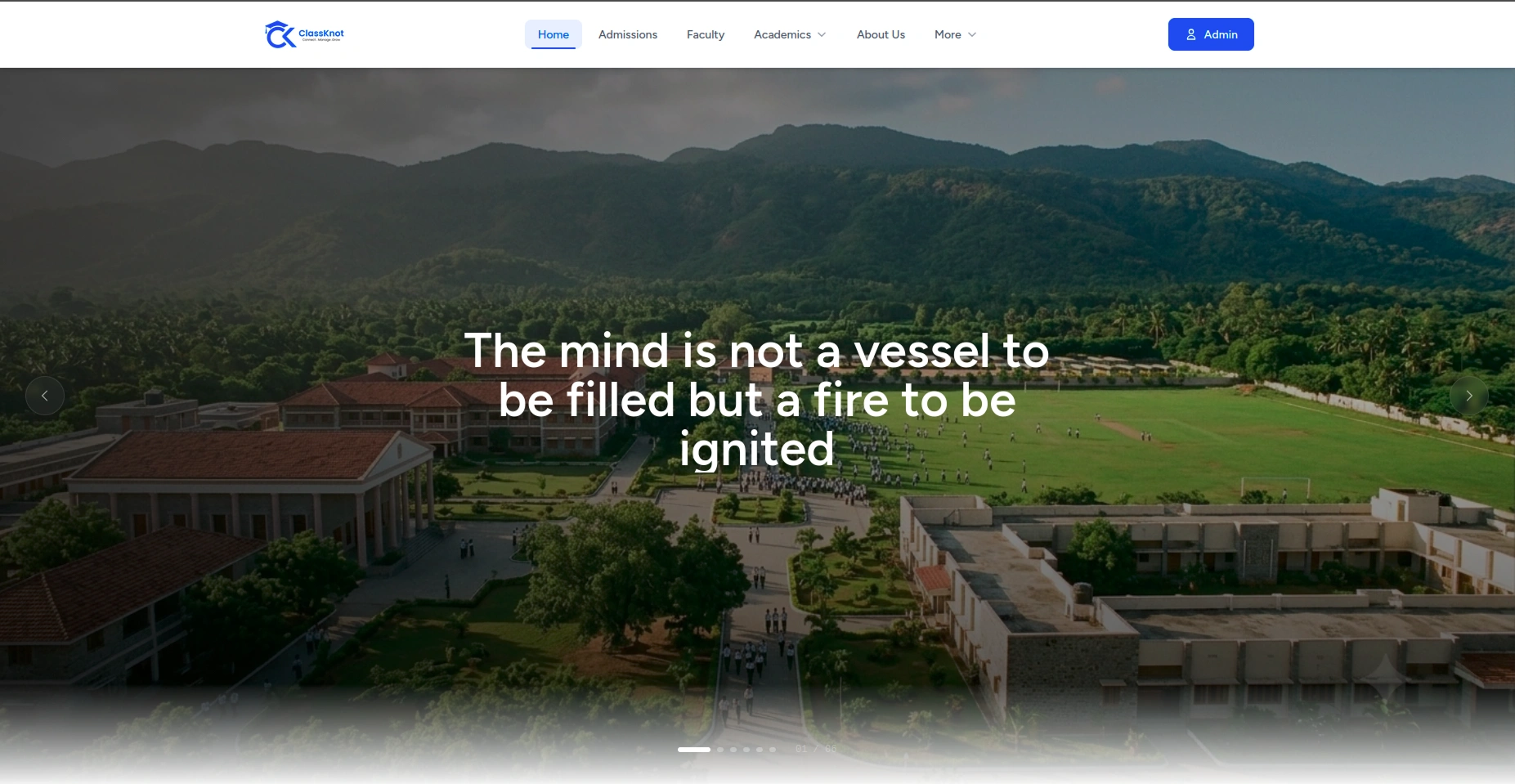
Home Page — Dynamic content from banners, facilities, FAQs, and stats
Component & Data Source
- HeroSlider — Auto-scrolling banner carousel with fade transitions,
navigation dots, CTA buttons
Data:bannerstable (admin uploads images + text) - Stats Counter — 3 animated counters (Students, Teachers, Classes)
that count up when scrolled into view
Data: Live DB counts viaStudent::count(),Teacher::count(),Classe::count() - Facilities Preview — 3 facility cards with hover zoom animation
Data:facilitiestable (active status, limited to 3 items) - FAQ Accordion — Top 6 FAQs in expandable format
Data:faqstable (active status, limited to 6) - CTA Banner — Gradient banner with "Apply Now" and "Schedule Visit"
buttons
Data: Static - Footer — School logo, nav links, contact info, social icons,
copyright
Admin Menu Path
- Banners: Academics → Banners (
/admin/banners) - Facilities: Academics → Facilities (
/admin/facilities) - FAQs: Support → FAQs (
/admin/faqs) - Contact Details: Support → Contact Details
(
/admin/contact-settings) - Schools/Classes/Sections: Organisation → Schools/Classes/Sections
check_circle
User Flow:
Lands on page → auto-scrolling hero catches attention → stats build
credibility → facilities showcase campus → FAQ answers common questions → CTA drives
action.
About Page (/about)
Layout: Banner → who we are → feature cards → history timeline → CTA
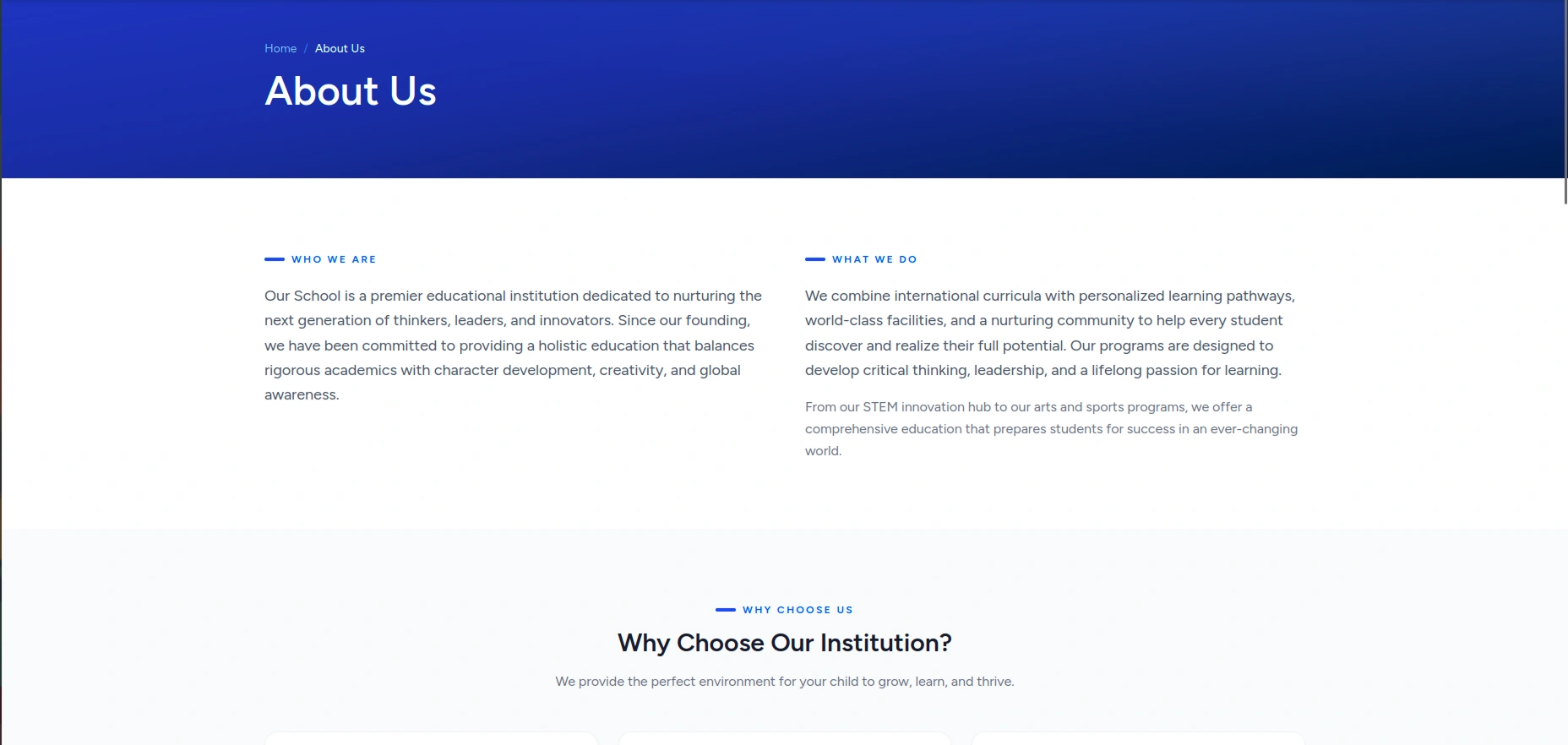
About Page — Dynamic content from about_sections (features, history, content)
Component & Data Source
- Hero Banner — "About Us" heading with breadcrumb navigation
Data: Static - "Who We Are" & "What We Do" — Text sections describing the
school
Data:about_sectionstable (type = content) - Feature Cards — 3 cards: Scholarship, Skilled Lecturers, Book
Library with SVG icons
Data:about_sectionstable (type = feature) - History Timeline — Milestones with year, title, description,
animated reveal on scroll
Data:about_sectionstable (type = history) - CTA Banner — "Ready to Join?" section with Apply button
Data: Static
Admin Menu Path
- About Sections: Support → About Page
(
/admin/about-sections) - Features: Support → About Page → Features
- History: Support → About Page → History
info
Data Mapping:
- Features:
about_sectionstable (type = feature) - History:
about_sectionstable (type = history) - Content:
about_sectionstable (type = content)
check_circle
User Flow:
Reads school story → sees key features → learns history → calls to
action.
Admissions Page (/admissions)
Layout: Banner → steps info → application form
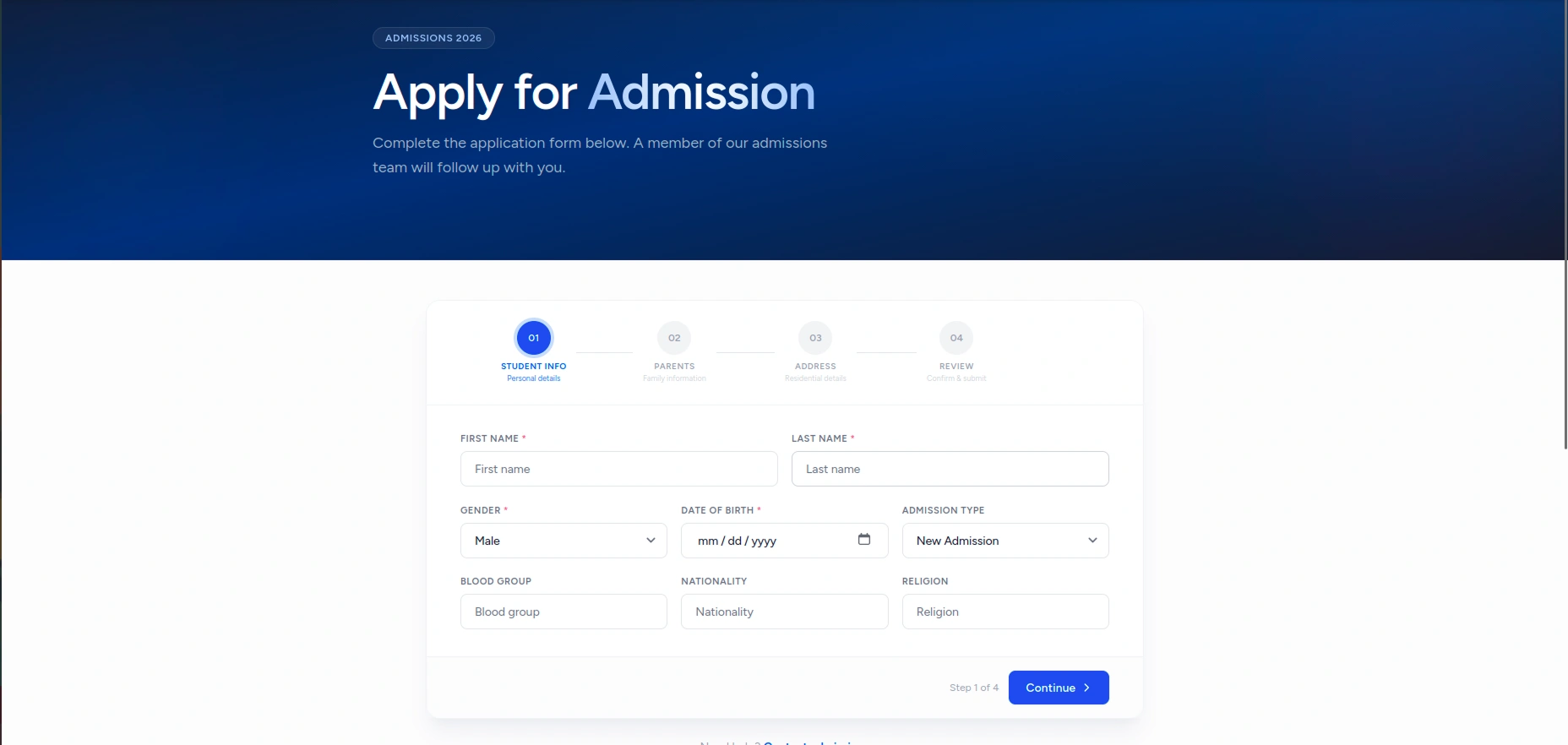
Admissions Page — Application form with dynamic dropdowns from classes, sections, and academic years
Component & Data Source
- Banner — "Start Your Journey" heading
Data: Static - Step Cards — 4 info cards: Student Info → Parents → Address →
Review
Data: Static - Application Form — Multi-step form: Student Details →
Parent/Guardian → Address → Academic Info → Application & Payment
Data:students,classes,sections,academicYears - Form Submit — Creates admission record, optionally creates student
+ enrollment
Data:AdmissionController→AdmissionService
Admin Menu Path
- Applications: Admission (
/admin/admissions) - Classes: Organisation → Classes (
/admin/classes) - Sections: Organisation → Sections (
/admin/sections) - Academic Years: Organisation → Acad. Years
(
/admin/academic-years) - Schools: Organisation → Schools (
/admin/schools)
check_circle
User Flow:
Reads steps → fills form → submits → server processes → redirects
with success/confirmation.
Faculty Page (/faculty)
Layout: Banner → faculty grid → CTA
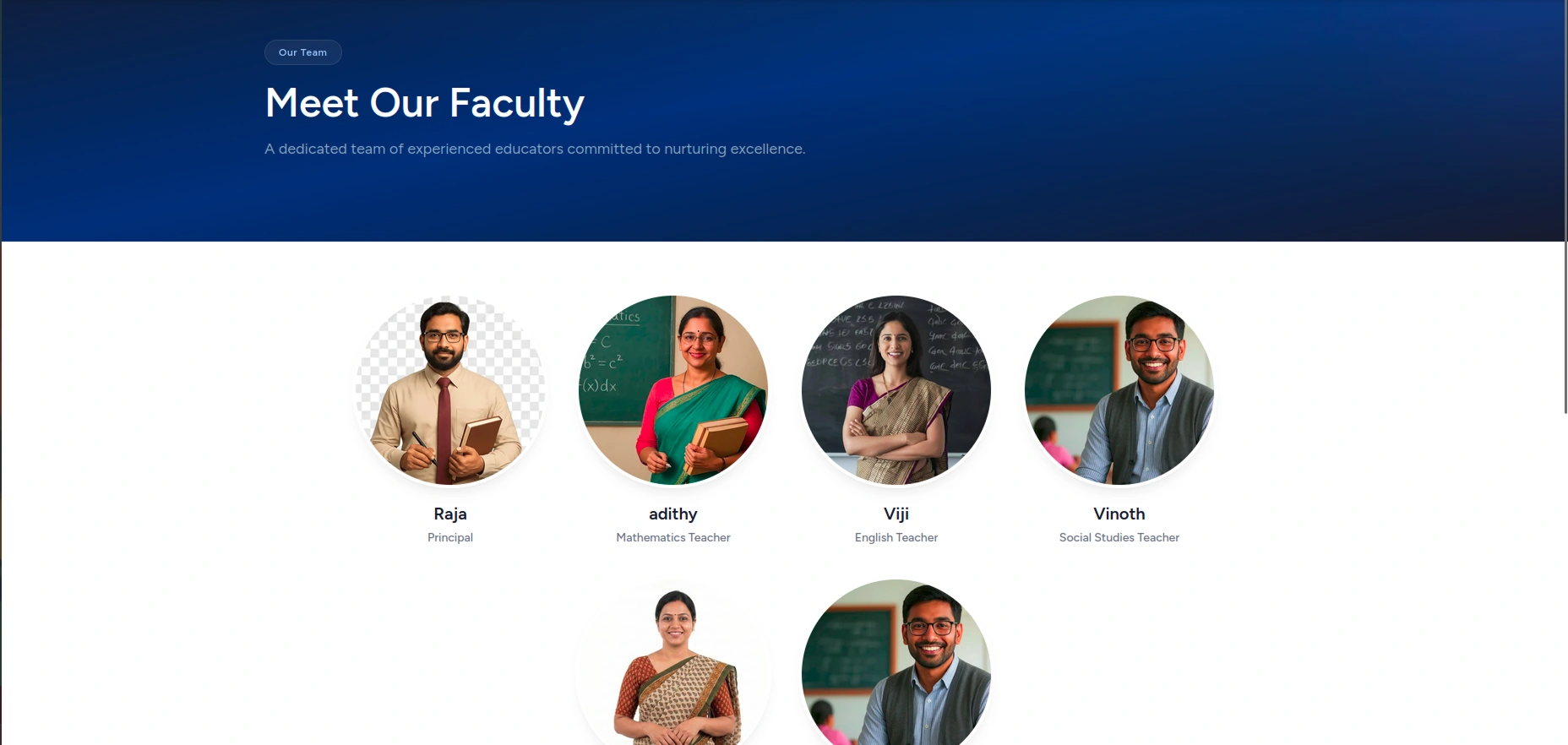
Faculty Page — Dynamic grid of active employees with photos and designations
Component & Data Source
- Banner — "Meet Our Faculty" heading
Data: Static - Faculty Grid — Staff cards with photo, name, subject,
designation
Data:employeestable (active status, eager-loaded with designations) - CTA — "View Open Positions" link
Data: Static
Admin Menu Path
- Employees: Employees → List (
/admin/employees) - Designations: Organisation → Designations
(
/admin/designations)
check_circle
User Flow:
Sees all active faculty → clicks card for details → CTA to
apply.
Gallery Page (/gallery)
Layout: Banner → category tabs → image grid → load more
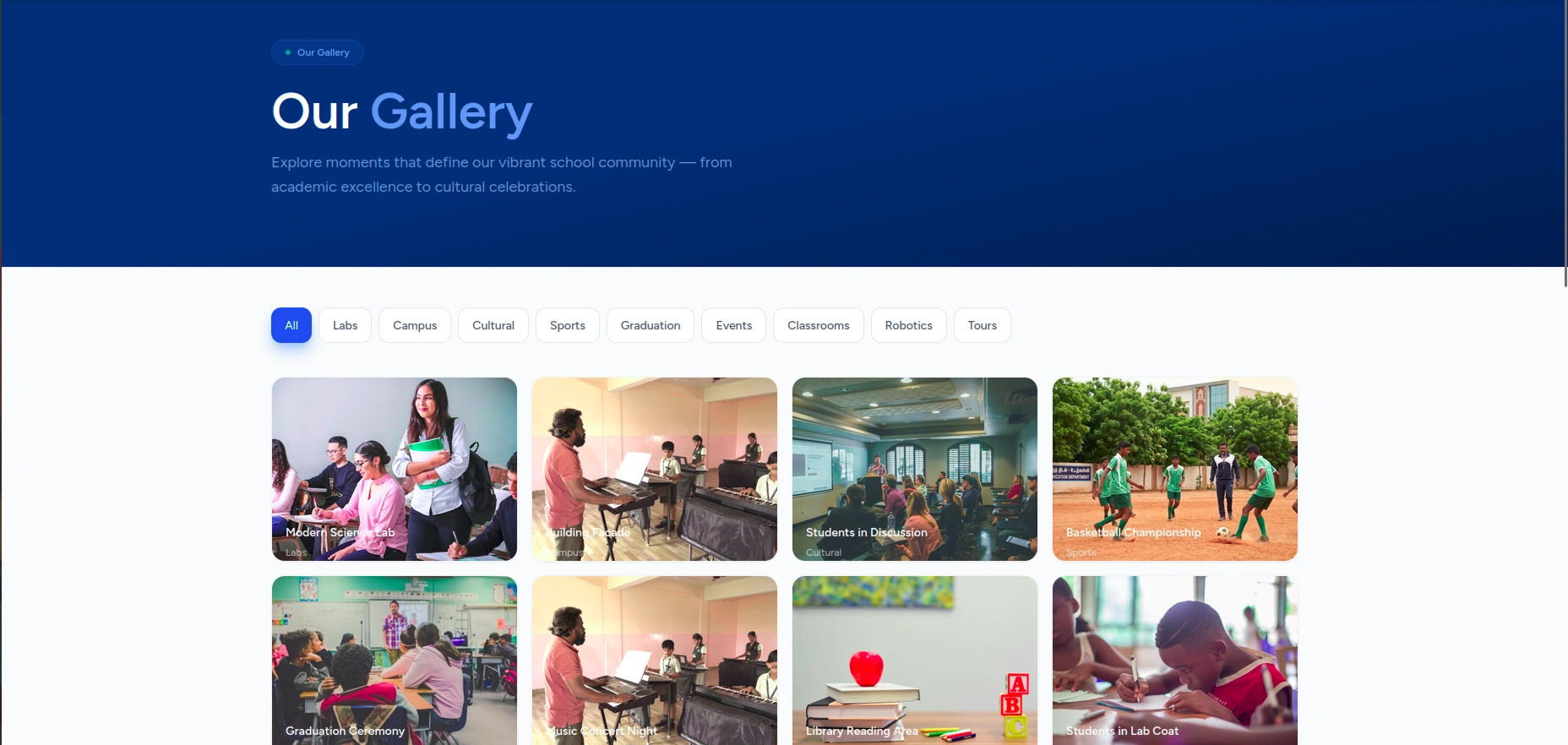
Gallery Page — Dynamic image grid with category filters and lightbox
Component & Data Source
- Banner — "Visual Journey" heading
Data: Static - Category Tabs — Filterable: All, Photos, Videos, Events
Data: Client-side filter - Masonry Grid — Image cards with lightbox on click, title on
hover
Data:galleryItemstable (active status) - Load More — Shows 6 initially, loads more on click
Data: Client-side slice
Admin Menu Path
- Gallery: Academics → Gallery (
/admin/galleries)
check_circle
User Flow:
Browses categories → clicks image for lightbox → loads more.
Facilities Page (/facilities)
Layout: Banner → stats bar → facility cards → CTA
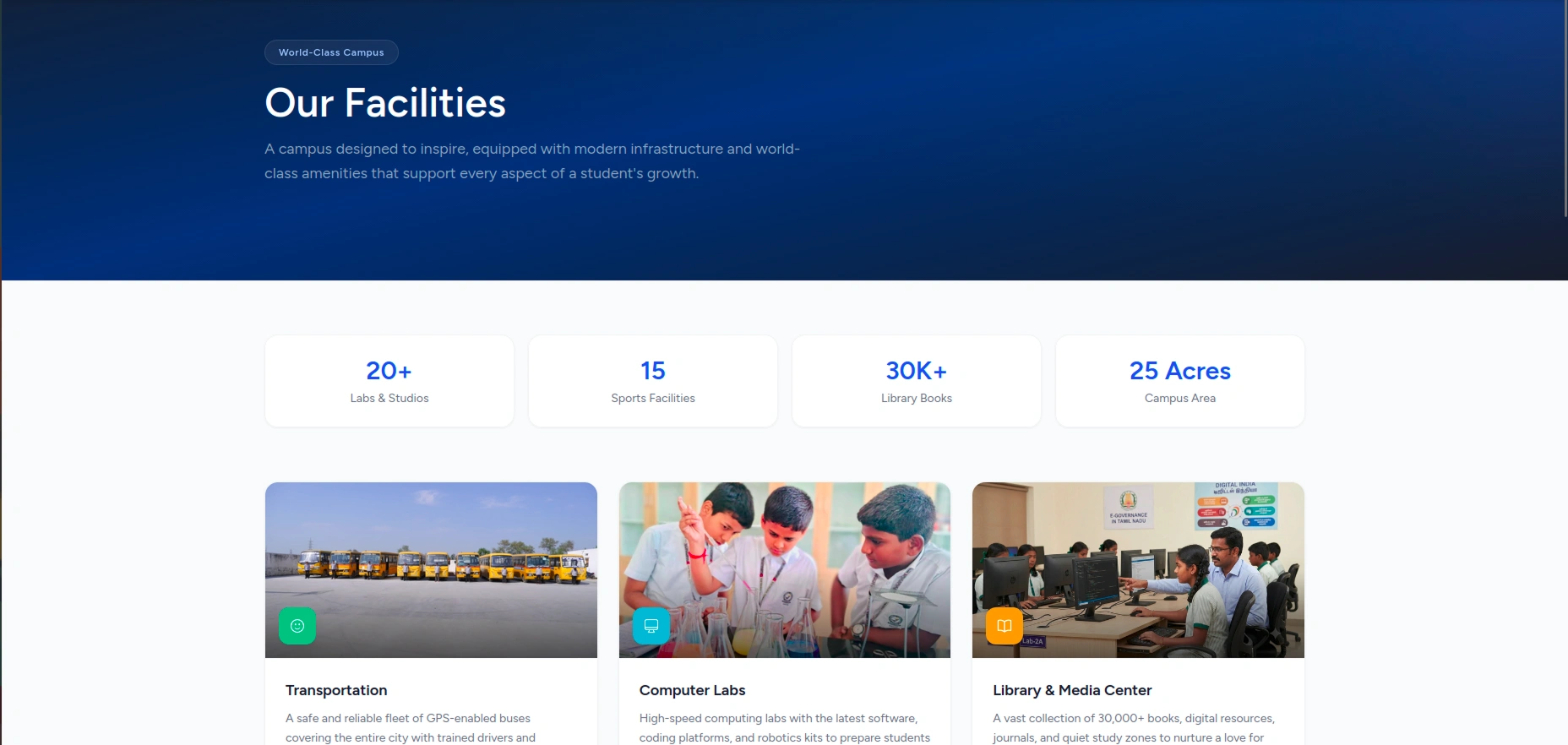
Facilities Page — Dynamic facility cards with auto-detected icons
Component & Data Source
- Banner — "Our Facilities" with gradient
Data: Static - Stats Bar — 4 stat cards: Labs, Sports, Library, Campus
- Facility Cards — Grid with auto-detected icon (science, sports,
library, etc.)
Data:facilitiestable (active status) - CTA — "Experience Our Campus Firsthand" + Book Tour
Data: Static
Admin Menu Path
- Facilities: Academics → Facilities (
/admin/facilities)
check_circle
User Flow:
Sees campus stats → browses facilities by category → books
tour.
FAQ Page (/faq)
Layout: Banner → search → category tabs → accordion
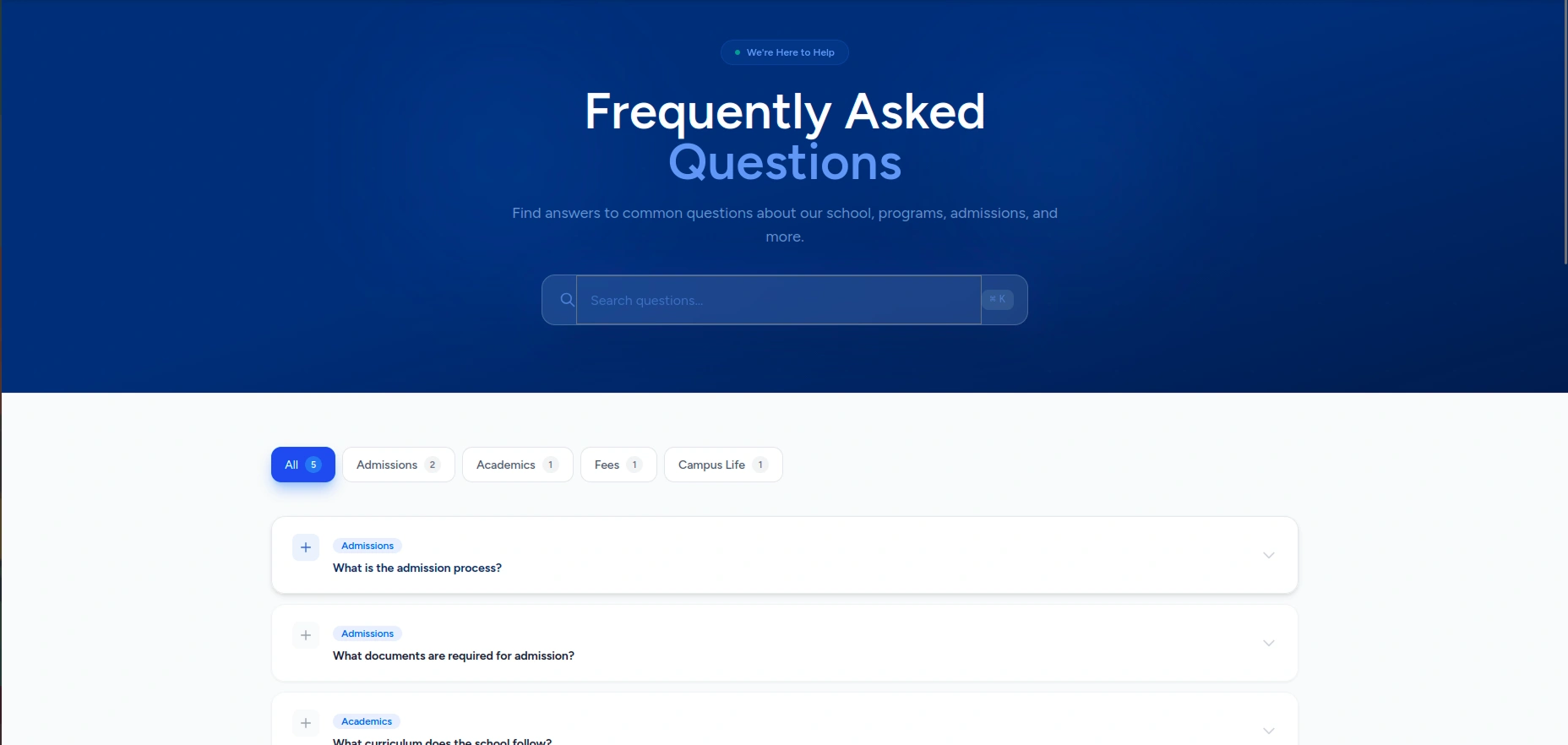
FAQ Page — Dynamic FAQs with category tabs and search filter
Component & Data Source
- Banner — "Frequently Asked Questions"
Data: Static - Search Bar — Real-time search filter
Data: Client-side - Category Tabs — All + dynamic category names
Data:faq_categoriestable - Accordion — Expandable Q&A items
Data:faqstable (active, with category) - CTA — "Still Have Questions?" + Contact link
Data:contactSettings
Admin Menu Path
- FAQs: Support → FAQs (
/admin/faqs) - FAQ Categories: Support → FAQs → Categories
- Contact Details: Support → Contact Details
(
/admin/contact-settings)
check_circle
User Flow:
Searches FAQ → filters by category → expands answers → contacts if
needed.
Contact Page (/contact)
Layout: Banner → contact info + form
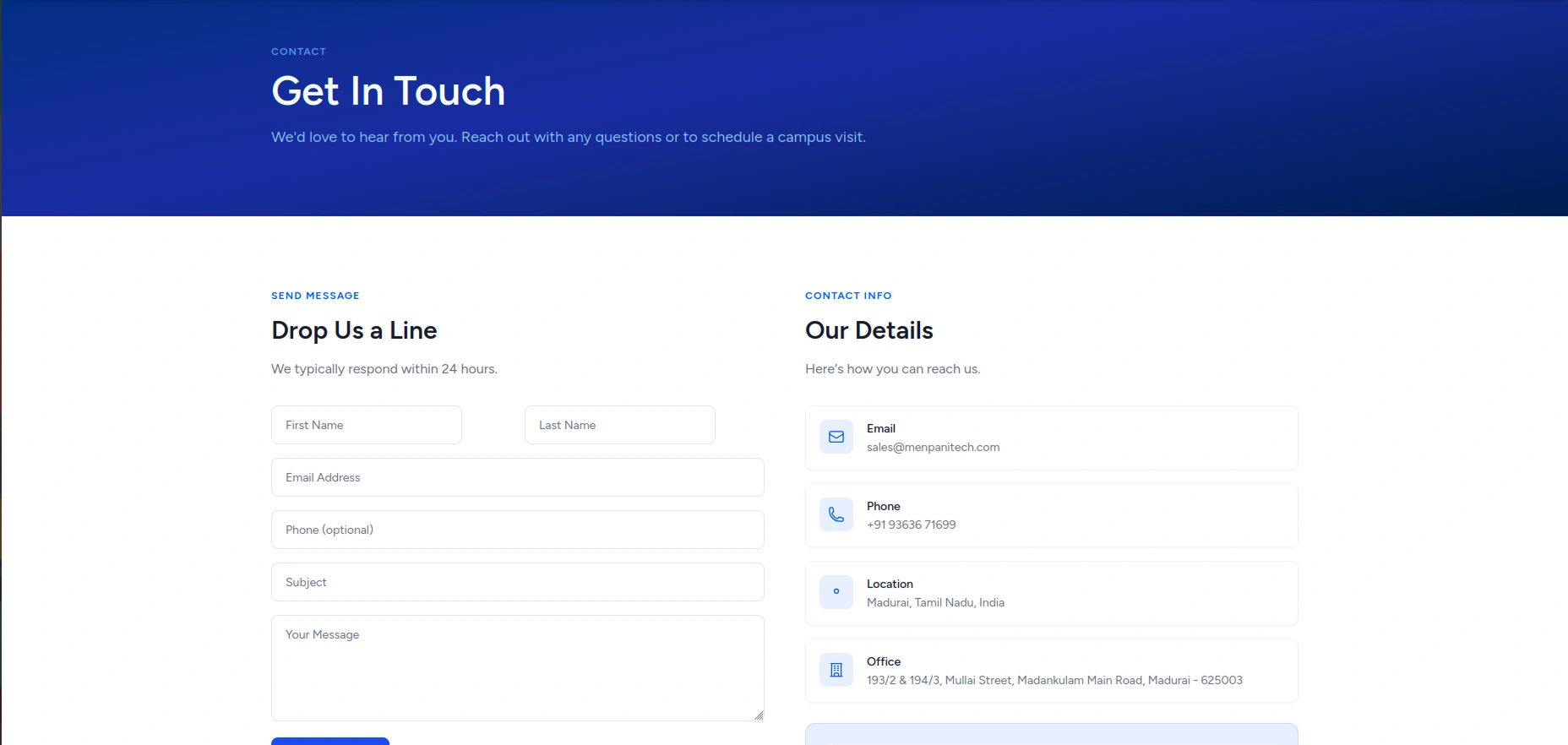
Contact Page — Dynamic contact info from contactSettings and enquiry form
Component & Data Source
- Banner — "Get in Touch" heading
Data: Static - Contact Info — Email, Phone, Location, Office with SVG icons
Data:contactSettingstable - Contact Form — Name, Email, Phone, Subject, Message → POST
Data: Server:EnquiryController→ creates enquiry - Success Alert — Green flash message on successful submission
Data:flash.success
Admin Menu Path
- Contact Details: Support → Contact Details
(
/admin/contact-settings) - Enquiries: Support → Enquiries (
/admin/enquiries)
check_circle
User Flow:
Fills form → submits → server validates → creates enquiry → redirect
with success.
Privacy Page (/privacy)
Layout: Banner → table of contents → content sections
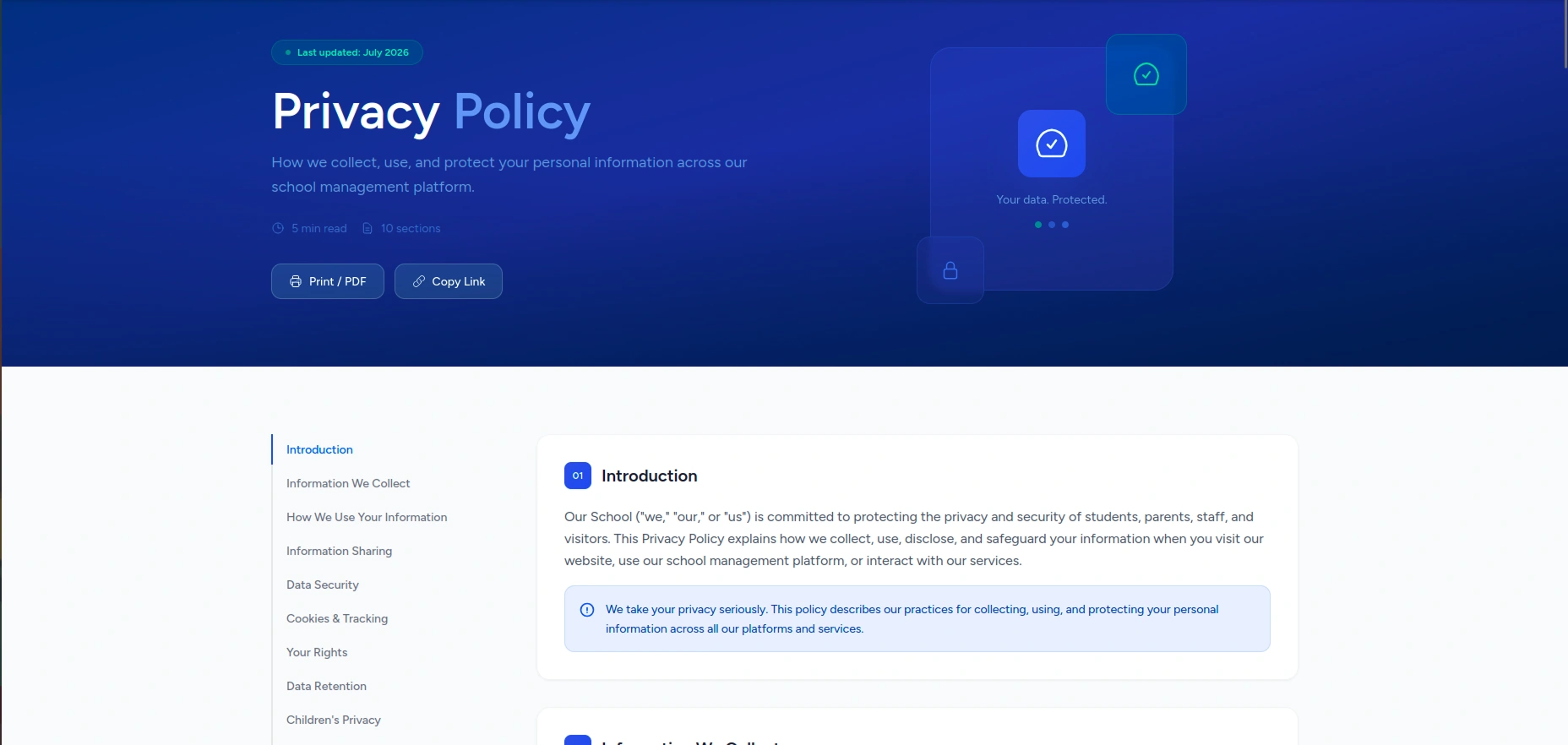
Privacy Page — Dynamic privacy policy sections from privacy_policies table
Component & Data Source
- Banner — "Privacy Policy" heading
Data: Static - Table of Contents — Sidebar navigation with section links
Data:privacy_policiestable (sorted by sort_order) - Content Sections — Scrollable privacy policy content
Data:privacy_policiestable - Back to Top — Floating scroll-to-top button
Data: Client-side
Admin Menu Path
- Privacy: Support → Privacy (
/admin/privacy)
check_circle
User Flow:
Navigates sections → reads policy → scrolls back to top.
Quick Reference Summary
| Page | Dynamic Data Source | Admin Menu Path | Data Type |
|---|---|---|---|
| Home | Banners, Facilities (3), FAQs (6), Stats | Academics → Banners / Facilities Support → FAQs |
Dynamic |
| About | Features, History, Content Sections | Support → About Page (/admin/about-sections) |
Dynamic |
| Admissions | Students, Classes, Sections, Academic Years | Admission Organisation → Classes/Sections/Acad. Years |
Dynamic |
| Faculty | Employees (active status) | Employees → List | Dynamic |
| Gallery | Gallery Items | Academics → Gallery | Dynamic |
| Facilities | Facilities (active status) | Academics → Facilities | Dynamic |
| FAQ | FAQ Categories + FAQs, Contact Settings | Support → FAQs / Contact Details | Dynamic |
| Contact | Contact Details, Enquiries | Support → Contact Details / Enquiries | Dynamic |
| Privacy | Privacy Policies | Support → Privacy | Dynamic |
sync
Key Principle: Admin → Frontend Sync
Everything shown on the public website is managed from the admin panel. When you add, edit, or delete content in the admin, it automatically reflects on the frontend. No code changes are required for content management.
- Add a new banner → It appears on the homepage hero slider instantly
- Add a new facility → It appears on both Home (preview) and Facilities page
- Upload a new gallery image → It appears on the Gallery page instantly
- Update contact details → Contact page and footer update immediately
- Add a new FAQ → It appears on both Home (preview) and FAQ page
- Add a new employee → They appear on the Faculty page
- Update privacy policy → Privacy page updates instantly
- View enquiries → All contact form submissions appear in Enquiries
help_outline FAQ & Troubleshoot
Frequently Asked Questions & Troubleshooting
install_desktop Installation & Setup FAQs
1. Installation Dependencies Failed (npm install or composer install)
Cause: Missing or outdated Node.js/PHP version, unstable internet connection, or running commands from the wrong directory.
Solution:
- Ensure Node.js (v20+) and PHP (8.3+) are installed and updated.
- Open terminal inside the project root directory.
- For frontend dependencies:
npm install --legacy-peer-deps
- For Laravel backend dependencies:
composer install
- If the issue persists, clear cache and reinstall:
rm -rf node_modules package-lock.json
npm install --legacy-peer-deps
2. Module Not Found Error (React Website)
Cause: Missing dependencies, incorrect import paths, or incomplete project extraction.
Solution:
- Verify all project files are extracted correctly.
- Check import paths in
resources/js/files. - Reinstall dependencies:
npm install --legacy-peer-deps
- Clear Vite cache and rebuild:
npm run build
3. Environment Variables Not Configured
Cause: Missing or incomplete environment
configuration in .env file.
Solution:
- Copy
.env.exampleto.env. - Configure all required values:
APP_URL=http://localhost:8000
DB_DATABASE=your_application_name
DB_USERNAME=root
DB_PASSWORD=
MAIL_HOST=smtp.gmail.com
MAIL_USERNAME=your_email@gmail.com
MAIL_PASSWORD=your_app_password
- Run
php artisan optimize:clearafter updating.env. - Restart the Laravel server.
4. Admin Panel Not Loading After Installation
Cause: Missing configuration, incorrect .env values, or database connection issues.
Solution:
- Verify
.envconfiguration is complete. - Ensure database credentials are correct.
- Run
php artisan optimize:clear. - Run
php artisan optimize. - Restart the Laravel server:
php artisan serve. - Check Laravel logs at
storage/logs/laravel.log.
school School Management FAQs
5. Cannot Add/Manage Students
Cause: Missing required fields, class/section not set up, or permission issues.
Solution:
- Verify all required fields are filled (First Name, Last Name, Date of Birth).
- Ensure Class and Section are created and active.
- Check Academic Year is set as current.
- Verify user has appropriate permissions.
6. Student Enrollment Not Working
Cause: Academic year, class, or section not properly configured.
Solution:
- Go to Admin Panel → Organisation → Acad. Years.
- Ensure at least one Academic Year is set as "Current".
- Verify Class and Section are active under Organisation → Classes/Sections.
- Check Student profile is complete with required fields.
7. Fee Management Issues
Cause: Fee heads, structures, or assignments not configured correctly.
Solution:
- Create Fee Heads first (Fees → Fee Heads).
- Create Fee Structures for Academic Years (Fees → Structures).
- Assign Fees to Enrollments (Fees → Assignments).
- Track payments in Fees → Payments.
- Verify student is enrolled in the correct class and academic year.
8. Teacher/Timetable Not Showing
Cause: Subjects not allocated, teacher not assigned, or timetable not created.
Solution:
- Create Subjects (Teacher → Subjects).
- Allocate Subjects to Teachers (Teacher → Allocations).
- Create Timetable with periods (Teacher → Timetables).
- Verify teacher status is Active.
- Check Academic Year is current.
9. Employee Attendance Not Recording
Cause: Employee not assigned to school or attendance module not configured.
Solution:
- Verify Employee is created and active (Employees → List).
- Ensure Employee is assigned to a School and Designation.
- Check Academic Year is current.
- Go to Employees → Attendance to mark attendance.
10. Parent/Guardian Not Linked to Student
Cause: Parent not created or not linked during student admission.
Solution:
- Create Parent profile (Parents).
- During Student creation, select the Parent from dropdown.
- To link existing Parent, edit Student profile and assign Parent.
- Verify Parent status is Active.
admin_panel_settings Admin Panel FAQs
11. Admin Panel 500 Error
Cause: PHP version mismatch, missing dependencies, or permission issues.
Solution:
- Verify PHP version is 8.3+.
- Run
composer installto install all dependencies. - Run
php artisan key:generate. - Run
php artisan migrate --seed. - Set proper permissions for
storageandbootstrap/cache. - Check Laravel logs at
storage/logs/laravel.log.
12. Cannot Login to Admin Panel
Cause: Incorrect credentials or admin user not created.
Solution:
- Check default credentials:
admin@school.com / password. - Run seeder:
php artisan db:seed --class=AdminUserSeeder. - Create admin user manually via
php artisan tinker. - Verify
APP_URLin .env matches your domain.
13. Roles & Permissions Not Working
Cause: Permissions not generated or assigned correctly.
Solution:
- Run
php artisan shield:generate --all --option=permissions. - Go to Admin Panel → Roles to assign permissions.
- Only Super Admin is configured by default. Other roles can be added.
- Clear cache:
php artisan optimize:clear.
storage Database & Server FAQs
14. Database Connection Issues
Cause: MySQL service not running or incorrect credentials.
Solution:
- Verify MySQL service is running (XAMPP/Laragon/etc.).
- Check
.envdatabase settings:
DB_CONNECTION=mysql
DB_HOST=127.0.0.1
DB_PORT=3306
DB_DATABASE=classknot
DB_USERNAME=root
DB_PASSWORD=
- Verify database exists in phpMyAdmin.
- Run
php artisan migrate --seedto create tables. - Check MySQL logs for errors.
15. Migration Failed
Cause: Existing tables or migration conflicts.
Solution:
- Drop all tables:
php artisan db:wipe. - Run migrations fresh:
php artisan migrate --seed. - If specific migration fails, check the error in
storage/logs/laravel.log. - Import the SQL file directly via phpMyAdmin if migrations continue to fail.
16. Storage Link Not Working (Images Not Showing)
Cause: Symbolic link not created or storage permissions.
Solution:
- Run
php artisan storage:linkto create symbolic link. - Ensure
storagedirectory has write permissions. - Check
APP_URLin .env is correct for asset paths. - Verify
FILESYSTEM_DISKis set topublic.
support_agent Need Additional Help?
If you encounter any issues that are not covered in this documentation, please contact our support team.
Support Email:
Support Hours:
Monday – Friday
Response Time: Within 24–48 Business Hours
Please include the following information when
contacting support:
- Purchase Code
- Application Version
- Server Information (PHP version, OS, etc.)
- Error Screenshot (if available)
- Detailed Issue Description
- Steps to Reproduce
This will help us provide faster and more accurate assistance.
terminal Quick Command Reference
Laravel Commands
composer install— Install PHP dependenciesphp artisan key:generate— Generate app keyphp artisan migrate --seed— Run migrations with seedersphp artisan optimize:clear— Clear all cachephp artisan optimize— Optimize applicationphp artisan serve— Start Laravel serverphp artisan config:clear— Clear config cachephp artisan cache:clear— Clear application cachephp artisan route:clear— Clear route cachephp artisan view:clear— Clear view cachephp artisan storage:link— Create storage symbolic link
React/Vite Commands
npm install --legacy-peer-deps— Install Node dependenciesnpm run build— Build for productionrm -rf node_modules— Remove dependencies (reinstall)
Database
php artisan migrate:fresh --seed— Fresh migration with seedersphp artisan db:wipe— Drop all tablesphp artisan tinker— Interactive REPL
history Change Log
update Version History
Track all updates, improvements, and fixes for the Classknot classified School Management platform.
v1.0.0
Initial
Release
rocket_launch What's New
- First public release of Classknot School Management platform
- Unified Application with React + Vite (Public Website + Admin Panel)
- Blog, About, Contact, FAQ pages
- Newsletter subscribers & campaigns
memory Tech Stack
- Backend: PHP 8.3+ / Laravel 13.x
- Frontend: React 19.2.8 / Vite 8.x
- Database: MySQL 8.0+
- CSS: Tailwind CSS 4.x
- Admin Panel: React + Inertia.js
- Laravel API: PHP 8.3+ / Laravel 13.x
- Auth: Laravel Sanctum / Spatie Permission
support_agent Contact Us
support_agent
Need Help?
If you encounter an error that is not listed above, please feel free to contact our support team for further assistance. We’re here to help.
Custom Development Services
If you need any custom work, additional features, or modifications to this application, our team is ready to help you build and scale your project efficiently.
What We Can Help With
code
Custom feature development based on your business needs
palette
UI/UX design improvements and branding customization
integration_instructions
Third-party API integrations (payment, SMS, maps, etc.)
speed
Performance optimization and scalability improvements
cloud_upload
Full project setup and deployment assistance
rocket_launch
Building large-scale applications from scratch
Hire Us
You can hire our development team for complete project development, from idea to deployment, including frontend, backend, and server setup.
call
Phone Number
+91 9150 441 443
language
Website
https://menpanitech.com/
mail
Email
sales@menpanitech.com
info
Important Note
Custom development services may involve additional cost and timeline depending on the scope and complexity of the project.
We’re happy to collaborate and bring your ideas to life